
Best eSIM For Family Travel (Multi-Device Hotspot Planning Guide)
Traveling with a group often means juggling multiple schedules, personalities, and, most importantly, everyone’s need for an internet connection. Gone are the days of hunting for physical SIM cards at crowded airport kiosks or swapping tiny plastic chips while balancing luggage. A travel eSIM serves as a digital alternative, allowing you to download a cellular profile directly to your phone without the need for a physical card.
For families, the technology has transitioned from buying individual cards for every person to utilizing digital family pools and shared data buckets. This guide covers how to manage multi-device connectivity, effective hotspot planning, and group data management to ensure a stress-free trip. If you are wondering how to keep the whole crew online, the best approach is to select an affordable global data plan that supports tethering.
The success of your group’s connectivity depends on a few central attributes. You will want to prioritize plans that offer clear hotspot compatibility, robust data sharing limits, and remote management features via a central app. We’ll look at how these digital “shared pots” of data can save you money compared to traditional roaming or individual local SIMs.
Why Modern Family Travel Needs a Specialized eSIM Strategy
Relying on a single data connection or a basic roaming plan is no longer sufficient for the modern family on the move. Connectivity is the invisible thread that keeps a trip from unraveling; it powers the navigation for the driver, the entertainment for the kids in the backseat, and the ability for parents to manage bookings on the fly. When you travel as a group, your data needs grow exponentially, making a specialized strategy essential to avoid high costs and frustrating “dead zones” where no one can get online.
The shifts in mobile technology mean that simply having “some data” isn’t the goal anymore. You need a setup that accounts for high bandwidth usage across multiple platforms and handles the technical hurdles carriers put in place to limit sharing. A well-planned approach ensures that your connectivity is high-performance and cost-effective, rather than a mounting bill of hidden roaming fees.
The Reality of Multiple Devices on One Trip
Modern travel involves a massive web of gadgets that goes far beyond a single smartphone in a pocket. This is often referred to as device mirroring, where a single user profile or data plan must cover a laptop for work, a tablet for the kids, and perhaps even a smartwatch or a portable gaming console. On a family trip, these devices interact constantly, creating a high demand for data that can easily overwhelm a standard individual mobile plan.
Kids and teenagers are the primary drivers of this high data consumption. A simple car ride or a wait at the airport involves streaming high-definition video, playing online games, or scrolling through media-rich social apps. If you haven’t planned for a comparison of travel connectivity options, you might find your data exhausted before the first day ends. Each device added to the mix increases the complexity of the “connectivity web,” making it vital to have an eSIM that specifically permits and supports heavy multi-device usage.
Why One Phone Plan Rarely Covers Everyone Well
Relying on a single carrier plan for the entire family is a strategy fraught with technical and financial pitfalls. Many travelers assume they can just turn on a hotspot and share their data, but mobile carriers often implement what are known as tethering walls. These are digital barriers that either completely block your ability to share data with other devices or “throttle” the speed of the hotspot to a crawl, making it unusable for anything other than basic text emails.
Standard roaming plans also come with high fees that accumulate per device or per megabyte. If you try to keep four people connected on one domestic plan abroad, you are likely to encounter:
- Hidden tethering caps: Even if your phone plan is “unlimited,” the amount you can share via hotspot is usually limited to a few gigabytes (GB).
- Increased Latency: Sharing one connection among four or five devices significantly slows down the response time for everyone.
- High Battery Drain: Using one phone as a constant hub for the entire family’s internet needs will drain its battery in a few hours, leaving the “anchor” person without a working phone.
To maintain a smooth experience, it is often much smarter to look into a guide for using two SIMs simultaneously or choosing a dedicated travel eSIM that explicitly allows for unrestricted hotspotting. This prevents one person from being “tethered” to a wall outlet all day while everyone else complains about the slow Wi-Fi.
What Makes an eSIM Truly Group Friendly
Selecting a data plan for a solo trip is straightforward, but finding a setup that holds a family together requires looking at specific technical permissions. A group-friendly eSIM isn’t just about having a large data cap; it’s about how that data can move between users and devices without hitting invisible walls. When you are managing a mix of smartphones, iPads, and handheld gaming consoles, you need a plan that treats your data like a shared resource rather than a locked vault.
Hotspot and Tethering Support Requirements
The most significant distinction in the eSIM market is between data-only plans and those that fully support mobile hotspots. A data-only eSIM allows the device it is installed on to browse the web, but it doesn’t necessarily allow that device to broadcast a signal to others. For families, an eSIM that lacks tethering support is essentially useless if you plan to keep kids entertained on tablets or use a laptop for a quick work check-in at a cafe.
Hotspot-enabled plans allow your primary phone to act as a portable Wi-Fi router. However, not all sharing is equal. Many providers allow tethering but implement a “throttle” after a certain amount of data is used, slowing speeds down to a point where video calls or streaming become impossible. For a smooth trip, you should look for “No-Throttle” sharing. This ensures that the 5G or 4G speeds you paid for are the same speeds your family experiences when they connect to your hotspot.
- Data-Only eSIMs: Best for solo travelers or individual use on a single device where sharing isn’t needed.
- Hotspot-Enabled eSIMs: Indispensable for families, allowing one plan to power multiple tablets and secondary devices.
- Tethering Performance: Check if the provider limits the number of connected devices, as some caps are as low as three connections.
Simple Plan Management and Shared Data Buckets
Managing five different data plans across five different devices is a logistical nightmare that most parents want to avoid. The shift toward the “Family Bucket” concept is a relief for group organizers. Instead of buying individual 5GB plans for everyone, you buy a single, massive bucket, perhaps 100GB, and distribute it. This is particularly useful because data usage is never even; a teenager scrolling through video-heavy feeds will always consume more than a parent checking Google Maps.
 Photo by Franco Monsalvo
Modern “Command Center” apps are the backbone of this strategy. These platforms allow the primary account holder to track data consumption in real time and set hard limits for specific users to prevent one person from draining the entire bucket in a single afternoon. If you are heading to multiple destinations, using a multicountry data plan for Asia travel within one of these shared buckets can keep the whole family connected as you cross borders.
- Centralized Billing: One transaction covers the whole group, making it easier to track the total vacation budget.
- Flexible Allocation: You can move data “credits” from a light user to a heavy user instantly through the app.
- Location Tracking: Many group-focused apps integrate basic location sharing, adding a layer of safety when exploring crowded tourist spots.
Shared bucket plans eliminate the “dead zone” anxiety that happens when one family member runs out of data while others have plenty to spare. By centralizing everything into one dashboard, you spend less time troubleshooting connections and more time enjoying the destination.
Typical Connectivity Setups for Traveling Families
Finding the right balance for family connectivity requires a bit of tactical planning before you even reach the jet bridge. Most families fall into one of two camps: the centralized hub model or the distributed independent model. The “best” choice really depends on how often your group stays together versus how often you split up for different activities. If you have younger kids with tablets, a single hub is usually the most cost-effective route, but for families with teenagers or grandparents, a mix of separate connections often results in much less stress and more freedom.
The Parent Phone as a Central Hotspot Hub
Using a single parent’s phone as the primary internet source is the most popular strategy for families with younger children or budget-conscious travelers. In this setup, you install a high-capacity eSIM on one device and broadcast a Wi-Fi signal to everyone else’s tablets, gaming consoles, and secondary phones. It’s a fantastic way to centralize costs; you only pay for one “mega” data plan instead of managing four or five smaller ones. It also simplifies your tech life because only one person needs to monitor the data usage app and manage top-ups.
However, treating your phone as a mobile router comes with a physical tax. Broadcasting a hotspot is one of the most power-hungry tasks a smartphone can perform. You’ll likely see your battery plummet from 100% to zero by lunch if you are sharing data with three or four active users. To make this setup work, a high-quality portable power bank is non-negotiable. You should look for a battery pack with at least 10,000mAh capacity to ensure your “hub” phone doesn’t die while you are trying to call an Uber or check a map at the end of the day.
When using this hub-and-spoke model, keep these performance tips in mind:
- Disable Background Sync: Ensure that all connected “guest” devices have background app refresh and cloud photo syncing turned off to prevent them from “ghosting” your data.
- Set a Metered Connection: If connecting a laptop or tablet, set the Wi-Fi network to “metered” in the settings to stop hidden Windows or iOS updates from eating your bucket.
- Maintain Proximity: Walls and distance force the hub phone to work harder to maintain the connection, which increases heat and battery drain.
Mixing Separate eSIMs for Teens and Kids
While the central hub works for a group that sticks together, it fails the moment someone explores a different floor of a museum or heads to a separate shop. This is where giving older children their own eSIM becomes a superior strategy. Providing a teen with an independent connection offers them a level of security and independence that a shared hotspot can’t match. If you get separated in a crowded terminal or a busy city center, your kids aren’t left in a “data blackout” just because they walked fifty feet away from you.
Security is another major factor to consider. When a teenager has their own dedicated connection, they don’t have to hunt for sketchy public Wi-Fi in cafes or malls just to send a message to their friends back home. This protects their personal data from being intercepted on unsecured networks. It also ensures that your own phone remains available for critical tasks like navigation and bookings, rather than being constantly burdened by someone else’s TikTok scroll.
For families with varying needs, a hybrid approach often works best:
- The Primary Hub: Parents use a large-capacity eSIM for navigation, heavy research, and hotspotting for the youngest kids’ tablets.
- Teenager Portability: Older kids get a smaller, mid-range eSIM (perhaps 5GB or 10GB) that keeps them reachable via WhatsApp or iMessage at all times.
- Emergency Redundancy: Having at least two devices with active, independent data plans ensures that if one phone is lost or broken, the family isn’t totally disconnected.
This “mixed-bag” approach is often much more affordable than it sounds. You can find an affordable Peru mobile data for families or similar regional plans that allow you to buy smaller “chunks” of data for secondary devices. Managing a few different digital profiles is a small price to pay for the peace of mind knowing everyone can find their way back to the hotel if the group splits up.
Hotspot Planning to Avoid High Costs and Slow Speeds
Keeping everyone connected simultaneously while traveling internationally is less about luck and more about setting up a smart tethering strategy. If you have ever tried to run a four person data operation off one aging smartphone, you know it is a certain recipe for frustration. You get terrible speeds, the phone overheats, and the battery dies before the next rest stop. The key to successful multi device connectivity for families is anticipating where the data goes and installing digital plans that not only support sharing but actually enable it without punitive speed drops. Modern families demand reliable, high speed connectivity that treats every phone, tablet, and laptop as an equal partner in the connection, not just a drain on a single resource.
Managing Data Usage for High Speed Support
When you activate a travel eSIM, your phone often behaves as if it is back on your home fiber connection, and that is when the trouble starts. Many background applications gulp down massive amounts of data the moment they detect an active connection, thinking they are safely behind your home router. To maintain the high speeds you paid for across all users, you have to actively police these data hogs. Otherwise, that premium 5G speed disappears into a cloud backup faster than you can say boarding pass.
You must be proactive about setting proper expectations and limits on every device connected to your hotspot. Here are the immediate steps to take before anyone connects:
- Disable Automatic App Updates: This is a classic data killer. Both iOS and Android devices default to downloading application and operating system updates automatically when on Wi-Fi. Go into the settings on every family phone and tablet and set updates to manual. This stops a 4GB game update from running across your international data plan.
- Turn Off Background App Refresh: Many social media apps and news feeds constantly refresh content in the background. This uses data even when the app isn’t open on the screen. Restrict this for non essential applications on every connected device.
- Monitor Cloud Syncing: Services like iCloud, Google Photos, and Dropbox love to bulk-upload all those vacation photos right when you have the best signal. You should pause these syncs until you are back on reliable, free Wi-Fi, or force them to only sync when connected to a charger.
Setting data alerts is your safety net against bill shock or hitting a hard throttling limit. Most modern smartphones allow you to set a specific warning threshold. For instance, if your shared eSIM bucket is 20GB, set an alert for 15GB. This gives you time to top up or switch usage patterns before you are suddenly stuck with slow speeds. Many advanced eSIM management apps also offer this functionality from the provider side. If you are researching connectivity options for Southeast Asia, for instance, you’ll notice providers specializing in that region often have very granular control features, unlike some generic global plans. You can find more detail on this in our best eSIM for Thailand guide. This proactive monitoring is what separates a smooth trip from a connectivity nightmare.
When a Dedicated Travel Router Makes Sense
Phone hotspotting, even with a great travel eSIM installed, is fundamentally limited by the small battery and processing power of a smartphone. If you have a family bigger than three people, or if anyone in your group needs to do anything more intensive than check email, like attend a video call or stream a movie, you are better off bypassing the phone hotspot. This is where the dedicated, pocket-sized travel router proves itself as the superior alternative for large families.
These devices are not the bulky boxes of old; today’s units are extremely small and often fit right into a jacket pocket. You feed this travel router an internet connection by installing a high-capacity eSIM directly into the router itself and the device then broadcasts a private, secure, and powerful Wi-Fi network. Pairing a high quality Bali travel data plan with a good travel router means you aren’t relying on one dying phone battery for everyone’s internet access while exploring the islands.
Why should you consider this extra piece of hardware? It comes down to performance, security, and device count:
- Performance and Stability: A travel router is purpose-built to handle multiple simultaneous connections, often 10 to 30 devices, without suffering the rapid battery drain and heat accumulation that cripple a phone. The stability of the Wi-Fi signal remains high even if you have five different devices drawing power.
- Security: When you connect to a travel router’s network, you create a small, isolated environment. This is far more secure than connecting a bunch of devices to an unsecured public network at a cafe. For parents sharing work documents or banking information, this dedicated, encrypted network offers real peace of mind.
- Device Versatility: Routers ensure that devices not capable of accepting an eSIM, like older Kindles, portable gaming consoles, or specific smart home accessories, can still join the family network without complication.
If your family frequently splits up for short periods or if you prioritize reliable streaming entertainment for downtime, a travel router is a no-brainer. It turns inconsistent, battery-draining phone tethering into a robust and reliable data source for the entire group. This method is the clear winner for true family coverage because it distributes the load instead of concentrating it all onto one fragile battery cell.
Choosing and Setting Up Your Family eSIM Plan
Getting the right data plan isn’t just about picking the cheapest megabyte; it is the bedrock of family trip sanity. For a group, the process moves beyond a single transaction to a mini IT management session. In fact, the setup phase requires careful planning to avoid airport chaos or, worse, unexpected charges hitting your credit card back home. You need a system where every tablet, phone, and laptop gets access, and you only have one central hub for billing questions. To get this right, you must address device compatibility first, then follow a strict installation protocol.
Device Compatibility and Carrier Lock Checks
Before you look at a single data package, you have to look inside everyone’s pocket. A travel eSIM profile only functions if the device itself supports the technology and it is free from carrier control. Think of it like trying to install a high-performance video game on a very old computer; if the hardware isn’t right, the software won’t run, no matter how good the game is.
For Apple users, the good news is straightforward; most modern phones handle eSIM profiles without a fuss. You are generally safe if you carry an iPhone XR, XS, or any newer model. If you have an older model, or perhaps a budget Android phone, you must verify support. Many mid-range devices from a few years ago don’t have the required embedded chip, meaning a physical SIM card is your only option for that specific traveler.
Don’t just focus on the phones. Tablets and laptops are often the biggest data consumers in a family setup. Many current generation iPads, particularly the cellular models, come with factory-installed eSIM chips, which is fantastic news for keeping kids occupied on long travel days. Similarly, some high-end laptops now include eSIM capability to provide on-the-go internet access without relying on your phone’s hotspot. You need to check the manufacturer specifications for every device that you intend to give a data line.
If you are helping teens who use their own devices, it’s essential to confirm they are carrier unlocked. An unlocked phone means the software isn’t restricted by your home network provider. If the phone is still under contract, the carrier often keeps the digital SIM slot disabled, making that fancy setup eSIM for China travel or any other destination completely useless until the device is fully paid off and released.
Installation and Troubleshooting Checklist
Once you confirm that every gadget can accept a digital profile, the installation needs to be treated like a formal deployment. You want a clean install that doesn’t conflict with any existing service you might need later. The critical difference between a smooth transition and a frustrating hour spent fighting with QR codes is organization.
To make sure everyone connects right away upon landing, follow this sequence while you still have reliable home Wi-Fi access. This protocol handles account creation, activation labeling, and conflict removal.
- Centralize the Purchase: Designate one parent to buy the family data bucket. This keeps all billing, account management, and top-up history in one easy-to-monitor location, typically through the provider’s central application.
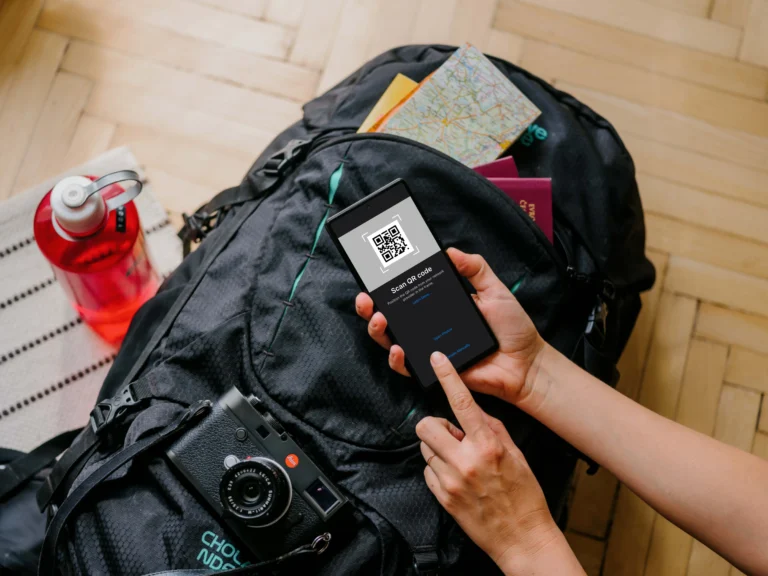
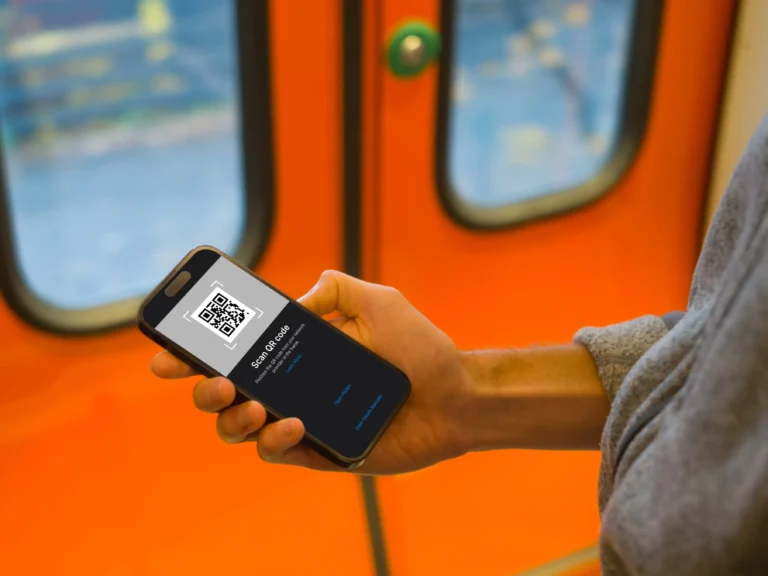
- Label Profiles Immediately: When you download the eSIM QR code, the phone asks you to name the profile. Don’t just accept a generic name. Label it clearly, such as Spain Travel Data or Asia Regional eSIM. This prevents accidentally routing calls or texts through the expensive travel line later.
- Install But Deactivate Home SIM: Install the new travel eSIM profiles on all necessary devices. Next, go into the cellular settings and temporarily toggle the primary physical SIM line off. This forces the phone to search only for the new digital profile upon activation.
- Test Locally Before You Go: This is a step many people skip. Keep your home SIM deactivated and briefly attempt to use a simple function that requires data, like checking a news headline. If the travel eSIM attempts to connect, you have confirmed the profile is active and routing correctly.
- Disable Your Home Roaming Data: Even if the physical SIM is toggled off, double-check that Data Roaming is switched OFF for your primary line in the phone settings. This acts as an expensive emergency backup failsafe. Should the travel eSIM glitch, this prevents your phone from defaulting back to your home carrier’s roaming rate.
A structured approach to installing the family digital plans prevents profile conflicts and unexpected roaming bills. The goal is to establish the eSIM as the primary line for data usage while retaining the physical SIM for essential voice or text reception. Setting up the connection once and testing it rigorously ensures that old plans won’t interfere. Dealing with setup issues is substantially easier when you are sitting at home, not fighting jet lag in a foreign airport lobby.
Conclusion
Smart eSIM planning transforms a potential technical headache into a background utility that just works. By centralizing your data through shared pools or a dedicated hotspot strategy, you eliminate the constant stress of monitoring individual balances or hunting for unsecured public Wi-Fi. This approach doesn’t just keep your family safe; it keeps your travel budget in check by avoiding the massive fees typically associated with international roaming.
Your next step is to audit your family’s devices for eSIM compatibility and choose a plan that explicitly supports tethering. Once you have your shared data bucket ready, you can move your focus away from signal bars and back to the experiences that matter. Embrace these remote management tools to ensure a smooth, connected journey for everyone in your group.