
Best eSIM For China: Restrictions, Workarounds, And What Actually Works
Traveling to China is an incredible adventure, but the country’s strict internet regulations can quickly turn a dream trip into a connectivity nightmare. If you’ve ever tried to access Google Maps only to realize it’s blocked, or tried to send a WhatsApp message that just won’t go through, you know the frustration. The China eSIM is the ultimate tool for cross-border connectivity, serving as a digital bridge that keeps you online without the hassle of local SIM registration or physical chips.
International eSIMs are the most effective way to bypass the Great Firewall because they use data roaming to tunnel your traffic through foreign servers. This means you get unblocked access to your favorite apps and websites automatically. In this guide, we dive into how these digital SIMs handle regional coverage and technical workarounds to keep your data flowing.
We’ll cover everything from the specific restrictions you’ll face to high-performance picks like Airalo and Holafly. You’ll also find practical setup advice to ensure you’re connected the moment you land. Whether you’re navigating via a comprehensive guide to China travel eSIMs or just looking for a reliable way to post your travel photos, this breakdown explains what actually works in 2026.
Why China Is Different From Every Other eSIM Destination

Getting connected in China isn’t as simple as landing and turning on your data. Unlike traveling through Europe or Southeast Asia where a single SIM works everywhere, China operates a massive, complex system of internet filters and local regulations. To stay online and actually use the apps you rely on daily, you have to understand that the rules of engagement here are entirely unique. For most travelers, the “outside” internet effectively disappears the moment they connect to a local network, making your choice of eSIM the most important part of your packing list.
The Great Firewall and App Restrictions Explained Simply
The Great Firewall is the nickname for the world’s most sophisticated internet censorship system. It isn’t just one filter; it is a multi-layered combination of legislative actions and technologies maintained by the government to regulate the domestic internet. In simple terms, IP filtering works like a digital bouncer at the door of every website. If the IP address of the site you want to visit is on the “blocked” list, the firewall drops the connection before the data ever reaches your screen.
As of 2026, the list of blocked services includes almost every platform used for global communication. You cannot access:
- Google Services: This includes Gmail, YouTube, and Google Maps (which is often inaccurate in China anyway).
- Social Media: Facebook, Instagram, X (formerly Twitter), and the international version of TikTok.
- Messaging Apps: WhatsApp, Telegram, and Facebook Messenger are completely unreachable on local data.
Recent 2026 updates have introduced even stricter measures, including advanced whitelisting and what experts call “eSIM fingerprinting.” This technology allows the network to identify the origin of an eSIM profile and its encryption patterns more precisely than ever. If your eSIM isn’t configured to mask this “fingerprint” or route through the correct channels, the firewall may throttle your speeds or block specific encrypted tunnels, even if you think you’re using a roaming plan.
Why Many Global eSIMs Fail in China
A common mistake is assuming that any “Global” or “Asia-Pacific” eSIM will work just fine in Beijing or Shanghai. The truth is that many budget international eSIMs are actually just rebranded white-label versions of local data plans. These providers often use Local Routing, meaning that while you bought the plan from a European or American company, the data itself is being processed by a mainland Chinese carrier like China Unicom or China Mobile.
When your data uses Local Routing, your phone is assigned a local Chinese IP address. Because your “home” for that data session is inside the Great Firewall, you are subject to every single restriction mentioned above. You’ll see the bars for 5G, but your WhatsApp messages will stay stuck on a single checkmark, and your Instagram feed won’t refresh. It’s incredibly frustrating to pay for data you can’t actually use to communicate with friends and family.
To avoid this, you must look for an eSIM that utilizes International Routing. These plans use data roaming to tunnel your traffic through servers in locations like Hong Kong, Singapore, or the US. This assigns your phone a non-Chinese IP address, effectively placing your connection outside the firewall’s reach. Before you buy, always check if your provider specifically guarantees “unfiltered data” or “VPN-free access.” If you run into any hiccups after landing, check out these common travel eSIM connection fixes to get back online. Using the right routing is the only way to ensure your digital life doesn’t come to a halt the moment you clear customs.
What Makes the Best eSIM for China Travel
Choosing the right digital SIM for a trip to mainland China involves more than just comparing data buckets and price points. The technical architecture of the plan determines whether you can actually use the internet once you land. The best providers prioritize routing your data through international gateways, which allows your device to bypass the strict filtering systems that typically block global communication platforms. By selecting a plan with high-performance routing, you eliminate the need to fiddle with third-party software while ensuring your essential travel tools remain functional.
Stable Access to Google, WhatsApp, and Western Apps
The most effective eSIMs for China utilize servers located in Hong Kong, Singapore, or the United States to manage your connection. When your data is routed through these foreign exit points, your device is assigned a non-Chinese IP address. This specific configuration is what allows you to open Google Maps, send WhatsApp messages, or scroll through Instagram without encountering the “Connection Timed Out” errors common on local networks. To ensure your hardware is ready for this setup, you should first check if your phone supports eSIM to avoid any last-minute hardware surprises.
Operating your phone this way provides a massive boost to your device’s efficiency. Traditional VPN apps are notoriously heavy on system resources because they constantly encrypt and decrypt data in the background, which drains your battery and generates significant heat. With a properly routed eSIM, the “unblocking” happens at the network level rather than on your phone. This means you get a clean, unfiltered connection that preserves your battery life for taking photos and navigating through busy city streets.
Reliable Performance Without Manual VPN Setup
A top-tier travel eSIM works exactly like a standard internet connection, requiring zero manual configuration or technical troubleshooting after the initial installation. Once you activate the profile and enable data roaming, the international routing kicks in automatically. There are no “Connect” buttons to press and no server lists to browse. For the traveler, the experience is identical to using a local SIM in a country like Japan or France; you simply turn on your phone and the apps just work.
This “set and forget” nature is particularly helpful when you are landing in a high-pressure environment like a busy Chinese airport. Relying on an eSIM with built-in roaming avoids the common “cat and mouse” game that VPN users face, where apps are frequently blocked or throttled by updated government filters. If you want to dive deeper into how to stay in touch with friends specifically, you can look into making calls with data-only eSIMs using internet-based services. This streamlined connectivity ensures that your focus stays on the travel experience rather than troubleshooting your digital link to the outside world.

| Feature | International eSIM | Local Chinese SIM |
|---|---|---|
| Google/WhatsApp | Works Automatically | Blocked by default |
| IP Location | Foreign (HK, US, SG) | Mainland China |
| Setup Process | Instant via QR Code | In-person with Passport |
| VPN Required | No | Yes (Frequently blocked) |
| Connection Type | Roaming Data | Local Network |
Best eSIM Plans for China: Top Picks for 2026
Finding a plan that actually works in China involves more than just looking at the price per gigabyte. You need a provider that specifically understands how to handle the latest 2026 hardware filters while maintaining decent speeds. Since some global providers have struggled with the newer “white-list” app restrictions, choosing a service with a proven track record is vital for a stress-free trip. I have spent time digging through the performance metrics for 2026 to identify which plans deliver the most consistent results across the mainland.
Best Overall China eSIM for Most Travelers
If you want a reliable, no-fuss experience, Airalo’s Chinacom plan is the strongest contender for the average traveler. It maintains a fantastic balance between cost and performance by utilizing high-quality network agreements. In my experience, Airalo remains a top-tier choice because they use international roaming through partners like China Unicom, which naturally tunnels your traffic outside the Great Firewall.
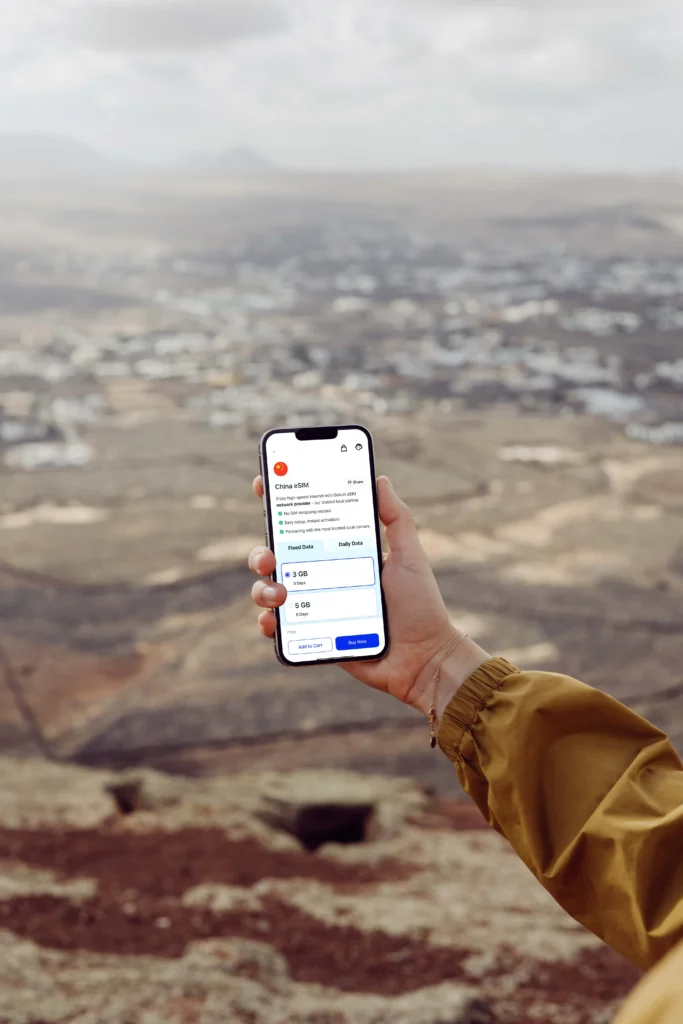
The pricing structure is very transparent and budget-friendly for short to medium trips. You can grab a 3GB data pack for $11.50, which is usually plenty for a week of navigation and messaging. If you need more, their larger 10GB or 20GB tiers offer even better value per gigabyte. The activation is instant through their app, making it a true plug-and-play solution.
- Network quality: Operates primarily on China Unicom, which provides excellent 4G and 5G coverage in both urban centers and rural tourist spots.
- Ease of use: The Airalo app allows for 1-click installation, meaning you don’t have to manually enter long strings of SM-DP+ addresses.
- Reliability: Because it uses international routing, you get access to Google and social media without needing a separate VPN.
When comparing these to other better value eSIM plans for travel, Airalo consistently ranks high for the China region because they have specifically optimized their Chinacom profiles to bypass the newest 2026 connection filters.
Best China eSIM for Business and Remote Work
For those who are heading to Shanghai, Beijing, or Shenzhen for work, Maya Mobile is my top recommendation. Business travel requires more than just “okay” connectivity; you need high-priority bandwidth for video calls and large file transfers. Maya Mobile excels here by offering robust 5G performance in China’s major business hubs, ensuring you aren’t stuck on a 3G crawl when you’re trying to join a Zoom meeting.
Maya Mobile’s “unlimited” plans are particularly popular, but it’s important to understand how they manage their network. To maintain stability for everyone, they implement a 1Mbps speed drop after you exceed 2GB of high-speed usage per day. This is a crucial detail for remote workers. While 1Mbps is perfectly fine for basic emails and Slack messages, you’ll want to finish your heavy data tasks early in the day to ensure you’re using that 5G “fast lane” effectively.
- 5G performance: Direct access to the fastest available local towers in Tier 1 cities, offering lower latency than standard roaming plans.
- Fair usage policy: The daily reset on high-speed data means you always start your workday with a fresh pool of 5G bandwidth.
- Support for hotspots: Unlike some budget providers, Maya Mobile allows you to use your phone as a hotspot, which is a lifesaver if the hotel Wi-Fi is unreliable or heavily censored.
If your itinerary includes a stop in the South, you might want to look into a Hong Kong and Macau eSIM guide to ensure your plan carries over as you move between regions. For pure mainland business operations in 2026, though, the speed and priority ranking of Maya Mobile is hard to beat. It provides the professional-grade stability that cheaper, consumer-focused plans often lack.
Workarounds That Actually Work in China
Even with a top-tier international eSIM that handles about 95% of your daily data needs, navigating China requires a strategic backup plan. Your eSIM acts as a digital bridge, keeping your email functional and your navigation active by routing traffic through foreign gateways. This usually bypasses the Great Firewall automatically for apps like Instagram or Gmail. However, China is a high-stakes environment for connectivity, and relying on a single point of failure is a rookie mistake. To be completely prepared, you need a redundancy stack that accounts for local network quirks and regional platform shifts. Think of your eSIM as your primary power station; it runs almost everything reliably, but having a trusted set of workarounds is like keeping a spare battery pack in your bag.
When a VPN Is Still Needed and When It Is Not
If you use an international eSIM that utilizes proper international routing, your traffic exits China through a gateway in a location like Hong Kong or Singapore before hitting the national filtering sensors. For general use while on your mobile data plan, you do not need a VPN. The connection is already clean at the network level, which allows you to access blocked platforms without any extra software running on your phone. This preserves battery life and prevents the constant speed fluctuations often seen with third-party encryption apps.
However, a VPN remains a necessary backup for two specific scenarios. First, if you connect to public or unsecured Wi-Fi networks, such as those in hotels or airports, you are once again behind the local firewall. These local networks often have their own aggressive filtering and tracking, making a VPN a requirement for basic privacy. Second, the “cat and mouse” game between the government and service providers means that the state occasionally implements newer filtering techniques, such as AI-driven pattern detection. In 2026, many tech-savvy travelers keep a VPN installed that supports V2Ray or Xray protocols, which are much better at camouflaging data than older protocols. Use your eSIM as your primary connection, but keep those VPN apps updated as your essential security blanket for local hotspots.
Offline Maps and Backup Tools to Download First

Standard travel tools like Google Maps are notoriously unreliable in China even if you have a working internet connection. Because of a specific mapping standard used in the country, the GPS coordinates in Google often shift by several hundred meters, putting you on the wrong side of a river or a highway. You must prepare your digital toolkit before crossing the border. To stay mobile and functional, focus on downloading the following essential apps:
- Apple Maps: For iPhone users, this is the most reliable western-friendly map. It uses data from a local provider to ensure coordinates are accurate while keeping the interface in English.
- Amap (Gaode Ditu): This is the gold standard for local navigation. It provides real-time bus schedules, accurate subway exits, and detailed walking paths that western apps miss. Even if you don’t speak the language, the interface is intuitive enough to follow the blue navigation arrow.
- WeChat: You cannot function efficiently in China without WeChat. It is the primary way to contact hotels, book taxis through mini-programs, and communicate with tour guides. Set up your account and verify your identity while you still have access to your home SMS for verification codes.
Setting up these tools ensures you aren’t left stranded if your digital routing hits a temporary snag. If you find yourself needing to manage multiple plans during your trip, it’s helpful to know how to switch between eSIM profiles directly in your settings. This preparation allows you to move between different data tiers or regions without losing access to your critical local tools. Having these apps pre-installed means you can find your hotel and contact your local contacts the moment you clear customs, regardless of how the local Wi-Fi behaves.
How to Set Up a China eSIM Correctly
Setting up your digital connection for China requires a bit more foresight than your average weekend trip to Paris or Tokyo. Because of how the mobile networks operate behind the Great Firewall, the order of operations for your installation is the difference between stepping off the plane with instant 5G and spending your first hour in a terminal hunting for a Wi-Fi signal that likely won’t even load your email. You want to handle the heavy lifting while you are still on your home network to ensure every digital handshake between the provider and your device happens without interference.
Pre-Arrival Installation Steps
You must install your digital SIM profile before you depart for mainland China. Most travelers find that a step-by-step eSIM configuration guide is incredibly helpful to have open on a laptop while they use their phone to scan the QR code. Installing while at home or in a transit hub outside China ensures your phone can communicate with the provider’s activation server to verify the plan.
- Scan the QR Code: Go to your cellular settings and add a new data plan by scanning the code provided in your confirmation email.
- Label the Line: Name this new plan “China Travel” or “eSIM” to distinguish it from your primary home SIM card.
- Keep it Off: Keep the new travel line turned off until you are actually on the plane or about to land to avoid premature plan expiration.
Activation and Roaming Settings
Once your flight touches down in a city like Shanghai or Beijing, the actual activation process begins. This is where you finalize the “handshake” with the local towers. You need to tell your phone exactly which line to use for data and, more importantly, give it permission to roam on the local infrastructure.
- Switch the Data Line: Go into your cellular or mobile data settings and select your China eSIM as the primary source for “Cellular Data.”
- Toggle Data Roaming On: You must turn on “Data Roaming” for the travel line specifically. Since these plans use international routing to bypass the firewall, roaming is the mechanical requirement for the connection to work.
- Restart Your Device: If the signal bar does not appear within two minutes, toggle Airplane Mode off and on, or perform a full restart to force the device to find the nearest China Unicom or China Mobile tower.
Troubleshooting Common Connection Issues
If you see “No Service” or a signal bar without any data flow, the issue is typically related to an incorrect Access Point Name (APN) or a device compatibility glitch. Most high-end eSIMs for 2026 update these settings automatically, but older handsets might require a manual nudge.
- Verify APN Settings: Check if the APN field in your cellular data settings matches the one provided in your installation email; names like “internet” or “mobile” are common.
- Confirm Carrier Selection: Set your network selection to “Automatic,” but if it fails, manually select “China Unicom” as they often have the most compatible roaming agreements for global travelers.
- Check Device Lock: Ensure your phone is not carrier-locked to your home provider, as a locked device will reject any travel eSIM regardless of how well it is configured.
Using Local Apps and Services Safely
After you are online, your priority shifts to managing how your phone interacts with the localized Chinese digital ecosystem. Even with a working eSIM, certain local apps like Didi for ride-hailing or Meituan for food delivery might request specific permissions or a local phone number.
- App Downloads: Download any local-specific apps before you arrive, as the Apple App Store or Google Play Store can sometimes be sluggish or inconsistent even on roaming data.
- Privacy Awareness: Use your eSIM data for banking or private messaging rather than hotel Wi-Fi to keep your traffic inside the encrypted roaming tunnel.
- Battery Management: Roaming and 5G can be demanding on your battery, so carry a portable power bank if you plan on using navigation apps all day in major urban centers.
Common China eSIM Problems and Fixes
Even the most prepared traveler can sometimes hit a digital wall when trying to connect in a high-tech environment like mainland China. While modern international eSIMs are designed to be a plug-and-play solution, the combination of hardware restrictions and regional network shifts can lead to unexpected service gaps. Most obstacles aren’t permanent failures but rather small miscommunications between your device and the local cell towers that can be settled with the right sequence of adjustments.
Solving The No Service Or SOS Only Error
If you see No Service or SOS Only in the top corner of your screen, your phone hasn’t successfully finished the digital handshake with the local network. This is usually not an issue with the eSIM itself but rather a delay in the device finding a compatible tower after crossing the border. In many cases, the phone is stubbornly trying to find your home carrier instead of locking onto the roaming partner.
Start by toggling Airplane Mode on for ten seconds and then off again to force a fresh network scan. If that doesn’t work, go to your Cellular Settings and turn off Automatic Network Selection. You will see a list of available carriers like China Unicom, China Mobile, and China Telecom; manually select the one recommended by your eSIM provider, usually China Unicom for the best international roaming compatibility.
Dealing With Slow Data And Throttling
Experience tells me that seeing a 5G icon doesn’t always translate to fast speeds, especially during peak hours in dense cities like Guangzhou or Beijing. In 2026, many networks utilize sophisticated Deep Packet Inspection (DPI) that can occasionally slow down your connection if it detects encrypted tunneling. This isn’t a block, but rather a bottleneck that makes the internet feel laggy and unresponsive.
To fix this, check if your phone is stuck on a congested 4G band and try a full restart to see if it grabs a cleaner 5G frequency. If you are using an unlimited plan, keep in mind that many providers implement a daily high-speed cap, often around 2GB; once you pass this, your speed might drop to 1Mbps. You can manage your usage more effectively by understanding the fundamental eSIM technology overview and how it manages data consumption through Gohub’s breakdown of how digital SIMs work.
Apps Not Loading Despite Having Signal
It’s incredibly annoying to have five bars of signal but still be unable to refresh your Instagram feed or send a WhatsApp message. This happens when your device is assigned a local Chinese IP address instead of an international one, placing you behind the Great Firewall’s filtering system. This is often caused by an incorrect Access Point Name (APN) setting that isn’t routing your data through the intended international gateway.
Verify your APN settings by going to Mobile Data Networks and ensuring the APN field matches the instructions from your provider exactly. If you find that special apps still won’t load, you might need to Clear Cache on your browser or specific app to dump any location-based cookies that are still trying to connect via a blocked local server. For those using older hardware, following a specific iPhone 11 eSIM setup guide can help ensure these manual APN adjustments are applied correctly to restore your unfiltered access.
Fixing Passport Registration Failures
As of 2026, many eSIM profiles that tap into mainland towers require a real-name registration step involving a passport scan before they will activate. If your service hasn’t started within an hour of landing, check your email for a “Registration Required” notification from the provider. A failed registration is usually due to poor lighting in your passport photo or a glare on the ID page that prevents the AI from reading your details.
- Lighting matters: Take the photo in natural light without using a flash to avoid obscuring the machine-readable zone at the bottom of the passport.
- Match the name: Ensure the name you entered during purchase matches the passport exactly, including any middle names or suffixes.
- Wait for validation: Once you resubmit, it can take 15 to 30 minutes for the manual check to clear; keep your Wi-Fi on during this period so the activation signal can reach your phone.
| Common Issue | Primary Cause | Immediate Fix |
|---|---|---|
| No Data Flow | Incorrect APN Settings | Manually enter APN from provider email |
| Blocked Sites | Local IP Assignment | Enable Data Roaming in settings |
| Activation Error | No Wi-Fi during setup | Connect to airport Wi-Fi for initial handshake |
| No 5G Access | Carrier Lock or Band Mismatch | Manually select China Unicom in Carrier settings |
China eSIM vs Local SIM vs Pocket WiFi
When you are planning a trip to China, you have three main paths for staying connected, and honestly, each one changes your travel experience in a big way. You could go the traditional route with a local SIM card, carry a bulky Pocket WiFi device, or jump into the modern world with an eSIM. I have tried all of them, and while they all technically get the job done, the friction involved with some of these methods might actually ruin your first day in the country. Choosing between them is really about deciding how much you value your time and your sanity while dealing with the Great Firewall.
The Local Physical SIM Card Experience
Buying a local SIM card in China is the most “authentic” way to get data, but it is also the most exhausting. You have to find a brick and mortar store for China Unicom or China Mobile, wait in line, and then hand over your passport for a formal registration process. In fact, by 2026, the real-name registration rules have become even more intense, with most carriers requiring a “Cyberspace ID” or a verified biometric scan just to activate a basic data plan.
While a local SIM gives you a Chinese phone number, which is helpful for local apps like Didi or Meituan, it is blocked by the Great Firewall. This means you won’t have access to Google, WhatsApp, or Instagram unless you pay for a separate, high-quality VPN that actually works. To me, this feels like a massive headache for most short-term travelers who just want to land and start exploring. Unless you are staying for months and need to open a local bank account, the savings aren’t worth the setup stress.
The Reliable Middle Ground of Pocket WiFi
Pocket WiFi, or “Mifi” devices, used to be the gold standard for group travel, and they still have a loyal following for a few good reasons. These little battery-powered routers allow you to connect up to five or ten devices at once, which is great if you are traveling with a laptop, a tablet, and a group of friends. You usually pick them up at the airport or have them delivered to your hotel, then drop them off when you leave.
The biggest downside, though, is the literal weight of it. You have to carry an extra device in your pocket, keep it charged, and worry about losing it and paying a hefty replacement fee. Most Pocket WiFi rentals for China now include built-in VPNs to bypass censorship, which is a nice perk, but the speeds can be hit or miss depending on how many people are sharing the signal. If you hate the idea of managing another battery, this is probably going to annoy you within 48 hours.
Why The eSIM Is The Ultimate Winner For Convenience
For most people, the eSIM is a total no-brainer because it combines the best parts of roaming with the efficiency of a local connection. You don’t have to visit a store, you don’t have to carry a extra gadget, and you don’t have to swap out your tiny physical SIM card on the plane. The activation happens through a QR code while you are still at home, and the moment you land, your phone connects to the local towers and starts working.
The real magic of the China eSIM is the international routing. Unlike a local SIM, most travel eSIMs tunnel your data through servers in places like Hong Kong or Singapore. This means your phone bypasses the Great Firewall automatically. You keep your favorite apps without a VPN, you don’t have to deal with biometric scans at a shop, and you can still receive SMS codes on your home number if you keep your primary SIM active. It is easily the cleanest and most efficient way to stay connected in 2026.
| Feature | International eSIM | Local SIM Card | Pocket WiFi |
|---|---|---|---|
| Ease of Setup | High (Digital/Instant) | Low (In-store/Passport) | Medium (Pickup/Return) |
| App Access | Unfiltered (No Firewall) | Blocked (Requires VPN) | Usually Unfiltered |
| Hardware | None (Software-based) | Physical SIM Chip | Extra Device to Carry |
| Multiple Devices | Possible via Hotspot | Possible via Hotspot | Best for Groups |
| Phone Number | Data-only (Usually) | Local Chinese Number | No Number |
Choosing Based On Your Travel Style
If you are a solo traveler or a couple who values speed and freedom, go with the eSIM. It eliminates 90% of the technical hurdles of Chinese travel and lets you focus on the food and the sights. If you are a digital nomad who needs to connect multiple heavy-duty devices, the Pocket WiFi might still be worth the extra weight in your bag. Only choose the local SIM if you are prepared for a long registration process and have a rock-solid VPN ready to go. To make sure your hardware is up for the task, you can always check out how to install and activate an eSIM before you commit to one of these options.
Conclusion
Choosing an international eSIM is the most balanced choice for tourists in 2026. It bypasses the Great Firewall and eliminates the need for biometric registration at local shops. You get instant, unfiltered access to essential apps like Google and WhatsApp right when you land.
Match your data needs to your trip length to get the best value. For short stays, a 3GB or 5GB plan usually covers navigation and messaging. If you plan on streaming or working remotely, look for high-capacity 5G options through providers like Airalo or Maya Mobile. For more ways to test connectivity before your flight, you can explore free eSIM trial providers without credit cards to ensure your device is ready.
Always install your profile before departure to ensure a smooth connection. Keeping a secondary set of local apps like Amap or WeChat Pay on your phone will prepare you for any regional digital shifts. With the right digital SIM, you can focus on the incredible experience of traveling through China rather than worrying about your internet connection.