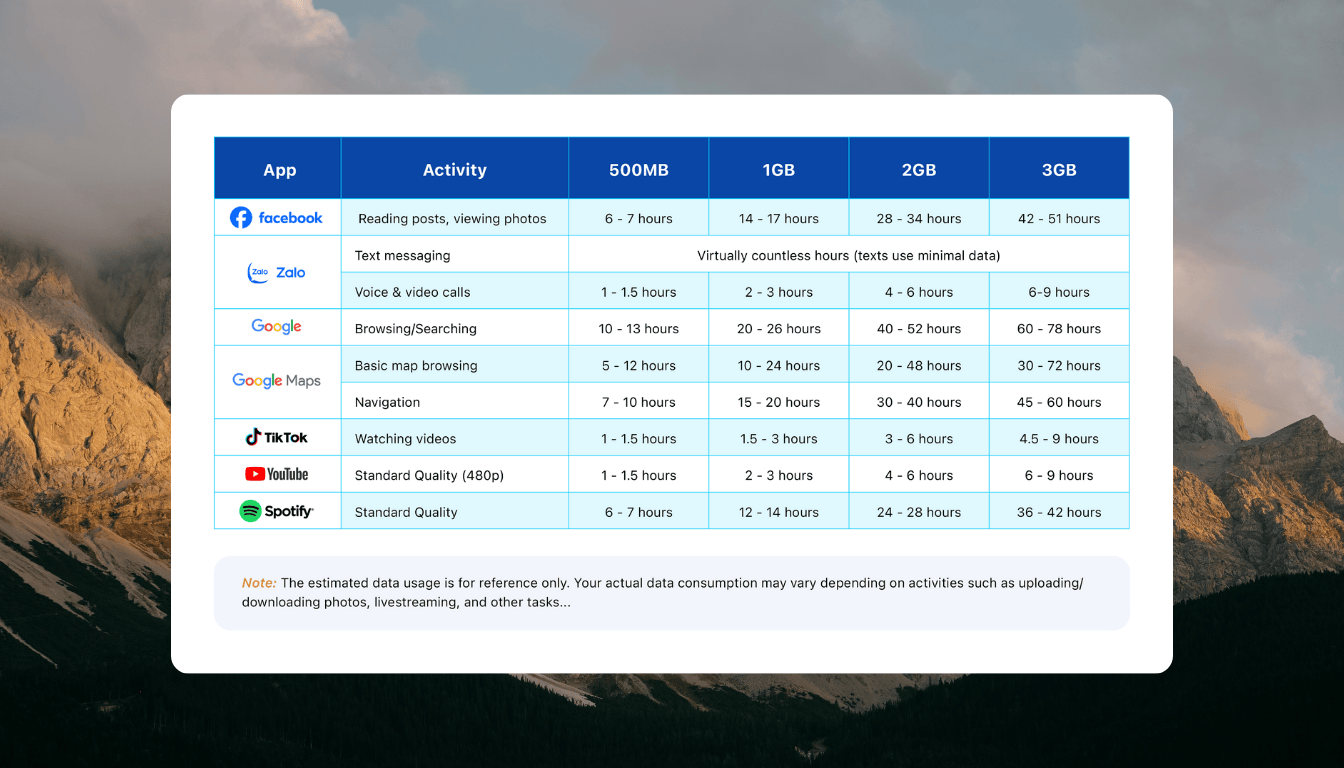
How Much Data Do You Need For Travel? (Calculator + 2026 Usage Examples)
When you’re standing on a busy street corner in a foreign city trying to load a map or translate a menu, the last thing you want to see is a “no connection” warning. Travel data refers to the mobile internet used while roaming or via an eSIM to keep your essential apps running without a local Wi-Fi signal. Getting your estimate right is the best way to prevent high roaming charges or a total loss of connectivity right when you need it most.
In late 2026, the average traveler typically consumes about 2.15 GB (2,150 MB) of data per day due to the standard use of 5G networks and heavier app content. This guide provides a clear travel data usage guide to help you navigate everything from light browsing profiles to heavy usage habits. You’ll learn the specific costs of modern activities like AR navigation and 4K streaming, plus how to use our interactive calculator to find your perfect plan.
Why Accurate Data Estimation Is Essential For Modern Travel
Getting your data estimate right is no longer just about avoiding a slow connection; it is about ensuring your entire travel toolkit remains functional. In 2026, our smartphones operate as AI-powered concierges that require constant cloud access to provide real-time value. If you underestimate your needs, you risk losing access to navigation, translation, and digital payment systems exactly when you are furthest from a reliable Wi-Fi signal.
Accurate estimation allows you to select a plan that matches your specific behavior, preventing the “digital blackout” that occurs when an eSIM runs dry in the middle of a busy terminal. By understanding the weight of modern apps, you can budget for the high-definition reality of today’s travel experience without overpaying for massive tiers you will never touch.
Avoiding The Trap Of High Roaming Fees
One of the secondary benefits of knowing your numbers is the ability to sidestep the aggressive pricing of traditional carriers. When you don’t know how much you need, you might default to a daily roaming pass from your home provider, which often costs $10 to $15 per day (approx. 250,000 to 380,000 VND). Over a two-week trip, this oversight can easily add $150 to your travel expenses, a cost that is often five times higher than a dedicated travel eSIM.
By calculating your usage beforehand, you can determine if a 5 GB or 10 GB plan is sufficient. This precision empowers you to make an informed choice on should data roaming be on or off while traveling, ensuring you only flip the switch when you have a cost-effective plan active. Taking five minutes to estimate saves you from the “bill shock” that many travelers face upon returning home.
Supporting High Bandwidth 2026 Travel Trends
The technical demands of travel have shifted significantly as we move through 2026. We are no longer just sending text-based emails or looking at static JPEG maps; we are interacting with heavy, data-dense environments. Modern travel often involves high-bandwidth activities that can deplete a “light” plan in a matter of hours if you aren’t careful.
- AI Travel Assistants: Generative AI tools that provide voice-based walking tours or real-time menu translations live in the cloud and require constant data streams.
- Augmented Reality (AR) Navigation: Holding your phone up to see digital arrows on the actual street view uses significantly more data than a 2D map.
- Automatic Cloud Syncing: With 5G speeds being the standard, your phone may automatically upload 4K video clips (which can be 300 MB per minute) to the cloud without you realizing it.
Ensuring Continuity For Digital Essentials
Beyond entertainment, accurate data estimation is a safety requirement for the modern nomad. Most transit systems now rely on QR code tickets that must be refreshed or validated online. Likewise, ride-sharing apps and digital wallets often require a handshake with a server to authorize a transaction.
If you run out of data because you didn’t account for background app refreshes, you might find yourself unable to book a car or access your digital boarding pass. Learning how to estimate your mobile data needs for traveling ensures that these essential “handshakes” never fail. It turns your smartphone from a potential brick into a reliable lifeline that supports your journey from arrival to departure.
A Simple Calculator To Estimate Your Total Travel Data Usage
Estimating your data needs shouldn’t feel like a high-stakes math exam. To get your trip off to a smooth start, I have put together a straightforward way to look at your digital habits and translate them into a concrete gigabyte count. By mid-2026, the baseline for “normal” use has shifted upward as apps become more resource-hungry and high-resolution content becomes the default for every social platform.
Most people fall into one of three distinct categories based on how often they reach for their phones. Whether you are using your device strictly for directions or you are running a remote office from a beach in Bali, these profiles help you avoid the frustration of a mid-trip data cutoff. Use the tiers below to find your match and multiply that daily figure by the length of your stay to find your magic number.
Choosing Your User Profile: Light, Medium, Or Heavy
Finding your profile is all about being honest with your screen time habits while away from hotel Wi-Fi. In 2026, even “light” use is heavier than it was a few years ago because background processes and system updates are more aggressive. Pick the tier that best describes your typical day to get an accurate estimate.
- Light User: 500 MB (0.5 GB) Per Day
This profile is for the minimalist who treats their phone as a utility rather than an entertainment hub. You primarily use data for essential navigation on Google Maps, sending text-based messages via WhatsApp or iMessage, and perhaps a quick search for restaurant reviews. You aren’t scrolling through video feeds or uploading galleries of photos until you get back to the hotel Wi-Fi. It is a lean, efficient way to travel that keeps costs at an absolute minimum. - Medium User: 2.15 GB (2.15 GB) Per Day
The Medium User represents the modern standard for 2026 travelers. This profile accounts for regular social media check-ins, posting occasional stories, and using travel apps throughout the day. You might stream some music while walking or watch a few short-form videos while waiting for a train. It provides enough cushion for AI-powered translation tools and standard cloud syncing without needing to constantly monitor your usage bars. - Heavy User: 5.37 GB (5.37 GB) Per Day
This tier is designed for power users, digital nomads, and content creators who need maximum performance. If you are vlogging in 4K, hopping on high-definition video calls for work, or using your phone as a mobile hotspot for a laptop, this is your zone. Heavy usage also covers those who rely on AR-enhanced navigation and automatic cloud backups for every photo taken. It is the “no-compromise” profile for anyone who refuses to hunt for public Wi-Fi.
| Profile Type | Daily Allowance | Best For |
|---|---|---|
| Light | 0.5 GB | Navigation, basic chat, and emergency searches. |
| Medium | 2.15 GB | Social media, music, and AI travel assistants. |
| Heavy | 5.37 GB | 4K streaming, vlogging, and mobile hotspots. |
Once you identify your profile, choosing an eSIM for overseas trips becomes much simpler because you have a data target. For most week-long trips, a Medium User will want to look for plans in the 15 GB to 20 GB range to ensure they never have to think about their connection. Always remember to add a small 10% buffer to your final total to account for those unexpected “I’m lost and need a video map” moments.
How Common Travel Activities Consume Your Data Plan
Understanding how individual apps eat into your data budget is the only way to avoid a mid-trip connection failure. By 2026, the weight of a standard webpage or a simple social media refresh has increased significantly as developers prioritize high-resolution assets and background processes. What used to be a “light” activity five years ago now demands a much larger slice of your gigabyte pie.
To stay ahead of the curve, you must look at your phone not as a single tool, but as a collection of data-hungry sensors and services. Every time you open an app, you are initiating a series of downloads that happen out of sight. Whether you are navigating a new city or staying on top of work tasks, the following breakdown reveals the true cost of your most frequent travel habits.
Data Costs For Navigation And Social Interactions
Navigation is arguably the most essential travel utility, yet there is a common misconception about how it functions. While the GPS sensor in your phone communicates directly with satellites and does not consume data, the maps themselves do. Apps like Google Maps or Apple Maps must download visual tiles, traffic overlays, and points of interest to make that GPS coordinate useful.
If you are exploring a dense urban area like a major secondary city or even one of the best places to visit in January, your phone is constantly fetching new map data as you move. A typical hour of active navigation can use between 20 MB and 60 MB depending on whether you are using traditional 2D views or the more intensive satellite imagery.
Social interactions through apps like WhatsApp, Telegram, or Instagram represent the largest variable in a traveler’s data budget. Sending a simple text message uses a fraction of a kilobyte, making it essentially free in the grand scheme of your plan. However, the move toward high-fidelity media has changed the math for everything else:
- Voice Notes: A one-minute voice message typically consumes about 0.5 MB to 1 MB.
- High-Res Photos: Modern smartphones capture images at 48 MP or higher, and sending one of these uncompressed files to family back home can use 10 MB to 15 MB per photo.
- Instagram Stories: Simply viewing stories for ten minutes can easily burn through 150 MB because the app pre-loads video content in the background to ensure a smooth scrolling experience.
Streaming And Remote Working Requirements
For digital nomads and those who refuse to disconnect, streaming and video conferencing are the “heavy hitters” that can deplete a standard travel plan in a single afternoon. By 2026, the expectation for video quality has shifted from 720p to 1080p and 4K as the baseline. This shift means you are moving massive amounts of data just to sit through a routine Monday morning sync.
If you are working remotely while exploring a new region or following a comprehensive Sri Lanka travel guide, you need to account for the high bandwidth of professional tools. Platforms like Zoom or Microsoft Teams are now optimized for 5G, which often results in higher data consumption because the apps automatically scale to the best possible quality.
The data consumption for high-demand tasks in 2026 is substantial:
- 4K Video Streaming: Watching Netflix or YouTube in 4K resolution averages a staggering 7 GB per hour.
- HD Video Calls: A 1080p meeting on Teams or Zoom uses roughly 1.62 GB per hour, while 4K video conferencing can spike to over 3 GB per hour.
- Cloud Syncing: Background services like iCloud, Google Drive, or Dropbox often “stealthily” upload your travel videos while you work, consuming 300 MB for every minute of 4K footage captured.
For anyone who relies on these services, a “unlimited” or high-tier eSIM is the only logical choice. Relying on a small 3 GB or 5 GB plan while attempting to stream a movie or attend a conference call is a recipe for an immediate blackout. When you are off-grid or away from hotel Wi-Fi, every minute of high-definition content needs to be a conscious part of your data calculation.
Real World Scenarios: What Amount Should You Buy?
Choosing a data plan isn’t about guessing; it’s about matching your digital lifestyle to the reality of 2026 connectivity. Your actual consumption depends on whether you treat your phone as a survival tool or a portable production studio. To get the best value, you should look at how these numbers play out over a standard vacation timeline so you don’t overpay for data you’ll never use.
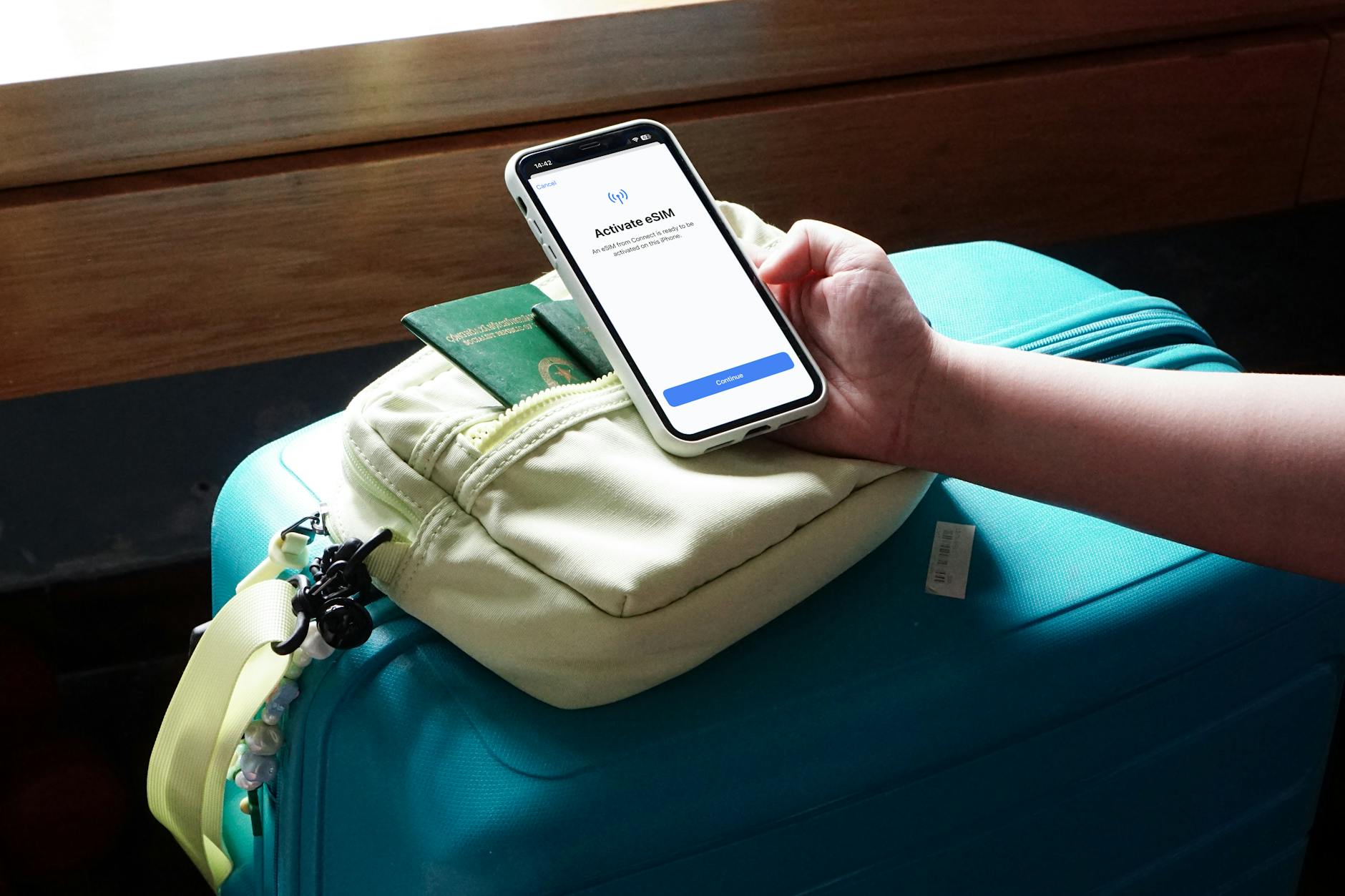 Photo by Joey Tran
Weekend Getaway: The 3 Day Sprint
For a quick 72 hour city break, you don’t need a massive data bucket unless you plan on streaming movies in your hotel. Most travelers find that 3 GB to 5 GB is the sweet spot for a long weekend. This covers heavy map usage for finding those hidden cafes, plenty of quick photo uploads, and the occasional AI voice translation when the menu gets too confusing.
If you are a light user, even 1 GB might see you through if you stick to offline maps and basic texting. However, 5G speeds often encourage more browsing than we expect. I’ve found that having a 3 GB plan provides that safety net, allowing you to search for return flights or call a ride-share without stressing over a low data notification on your final afternoon.
The Standard Vacation: 7 To 10 Days Abroad
A week-long trip is where data planning becomes a high-stakes game. For the average traveler, a 15 GB to 20 GB plan is the gold standard for a 10 day journey. This allows for roughly 2 GB of daily use, which is exactly what modern 5G apps demand for a smooth experience. You’ll have enough room for daily social media updates, music streaming during transit, and constant navigation.
| Duration | User Type | Recommended Data Amount |
|---|---|---|
| 7 Days | Light | 5 GB |
| 7 Days | Medium | 15 GB |
| 10 Days | Medium | 20 GB |
| 10 Days | Heavy | 40 GB+ or Unlimited |
Medium users should prioritize plans that offer a small buffer. If you find yourself in a beautiful spot and decide to FaceTime home for twenty minutes, you’ll burn through 500 MB easily. By picking a 20 GB plan for a 10 day trip, you ensure that one or two heavy usage days won’t leave you stranded with no data for the rest of the week.
Long Term Travel: The Multi Week Nomad
If you’re heading out for 30 days or more, buying data in small chunks is usually a mistake. For a month-long trip, you should look for plans starting at 50 GB. Digital nomads who work from their phones or use hotspots for their laptops will likely need a truly unlimited plan or at least 100 GB to maintain professional speeds.
Long-term travel often involves “administrative” data use that short trips don’t. You’ll be downloading large app updates, syncing hundreds of travel photos to the cloud, and perhaps catching up on shows during long train rides. In my book, it’s always better to get a larger monthly plan upfront than to deal with the higher cost and hassle of daily top-ups every few days.
Group Travel And Mobile Hotspots
When traveling with a partner or friends, many people think they can save money by having one person buy a large plan and hotspot the others. While this works, it drains the host’s battery and data rapidly. If you go this route, the “host” phone needs at least double the standard daily allowance.
A group of three people sharing one connection will easily burn 6 GB to 8 GB per day in 2026. This setup is only practical if you have an unlimited data eSIM. I always suggest each traveler gets their own individual plan; it’s much safer and prevents everyone from losing internet if the group decides to split up for different sightseeing activities.
Effective Ways To Reduce Data Consumption Without Cutting Apps
You do not have to delete your favorite social platforms or stop using essential travel tools just to keep your data bill under control. In the high-speed reality of 2026, many apps are designed to be “greedy” by default, pre-loading content and running background tasks that you might not even notice until you see the usage meter spike. By shifting a few settings and adopting smarter mobile habits, you can keep your digital life active while staying well within the limits of your eSIM plan.
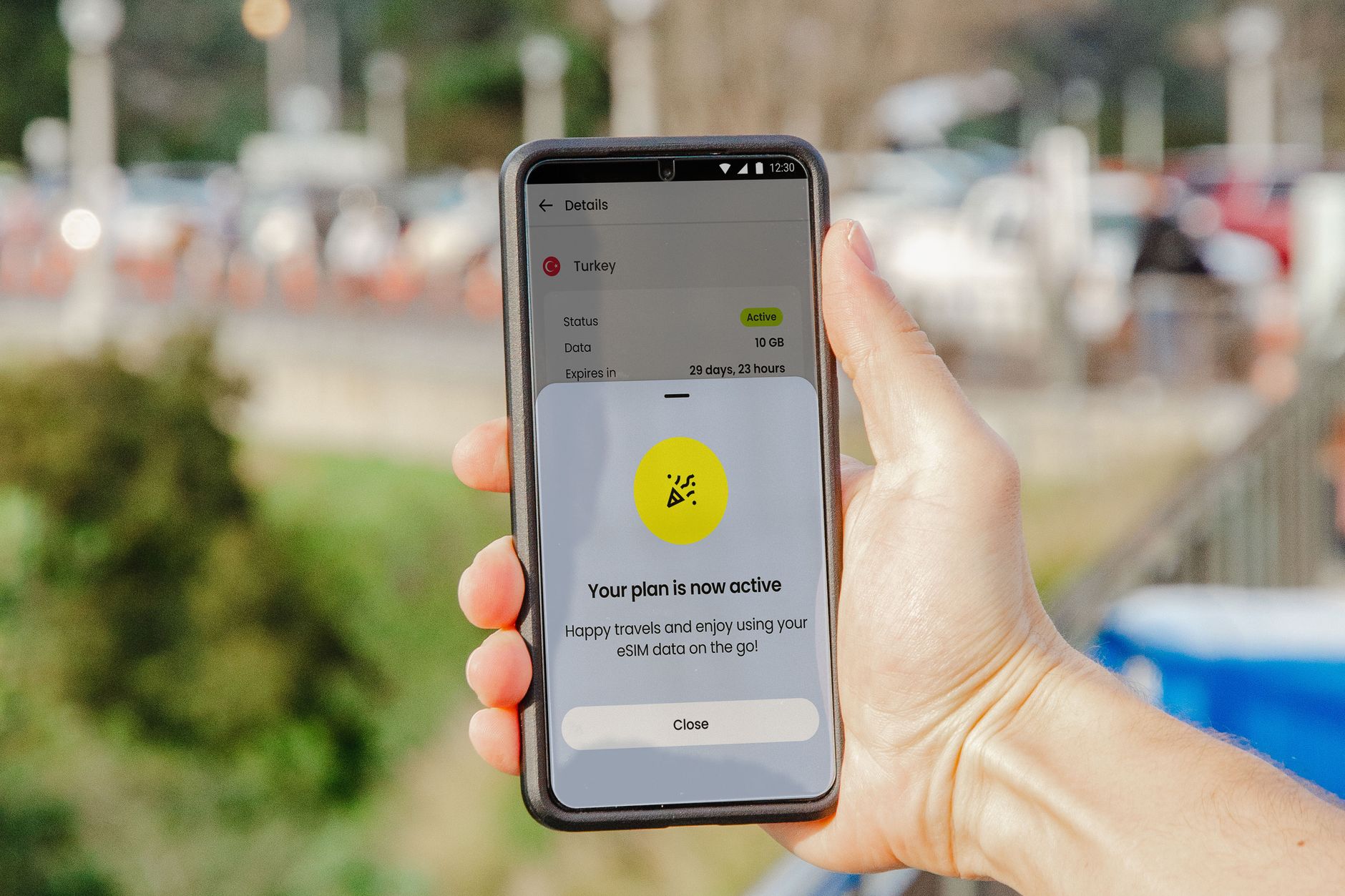 Photo by Jacob
The goal is to move from passive consumption to intentional connectivity. Most data “drain” happens in the background through processes like automatic cloud backups and high-definition video auto-play. If you take five minutes to configure your device before you leave the hotel, you can save several gigabytes over the course of a week without feeling like you are restricted.
Master The Art Of Offline Content
The smartest thing you can do for your data plan is to download everything you might need while you are still on a reliable hotel Wi-Fi connection. Modern 5G networks are incredibly fast, but they make it very easy to accidentally stream a 2 GB movie or download a massive app update on your mobile plan. Moving these heavy tasks to Wi-Fi is the primary way to protect your allowance for on-the-go essentials like navigation and translation.
- Download Offline Maps: Google Maps and Apple Maps allow you to save entire city regions for offline use. Your GPS works without data, so you can still see your blue dot moving on a high-resolution map without fetching a single byte of data from a cell tower.
- Sync Playlists and Podcasts: High-fidelity audio streaming can use up to 150 MB per hour. By hitting the download button on your Spotify or Apple Music playlists, you turn a data-heavy activity into a local one.
- Save Translation Files: If you are using Google Translate or similar AI tools, download the local language pack. This ensures you can read signs and menus even if you hit a “dead zone” or want to keep your 5G radio quiet.
Taming Background Data And Auto-Play Killers
Background data is the silent thief of travel plans. Many apps check for updates, refresh their feeds, and sync your location even when your phone is in your pocket. In 2026, social media apps are particularly aggressive, often starting to load the next five videos in your feed the moment you open the app. You can stop this behavior by checking your app settings for “Data Saver” or “Low Data” modes.
Social media platforms like Instagram and TikTok have a specific setting called High-quality uploads. While it is great for your followers to see your journey in 4K, these uploads can be massive. Switching this off until you are back on Wi-Fi is a total no-brainer. Additionally, go into your phone’s main settings and disable Background App Refresh for any non-essential apps. This ensures that only your map and messaging apps are allowed to “talk” to the internet while you aren’t actively using them.
Optimizing Your Messaging Habits
Messaging is the heartbeat of modern travel, but the way you send media matters immensely. A text message is practically weightless, but a burst of uncompressed 48 MP vacation photos can eat through 100 MB in seconds. Most messaging apps like WhatsApp or Telegram have settings to “Auto-download media” only on Wi-Fi. Enabling this ensures that you don’t accidentally pay for a 50 MB video your friend sent you in a group chat while you are trying to find your train platform.
If you are curious about other ways to manage your connection and what to look out for, checking a comprehensive eSIM travel FAQ can give you a better grasp of how these digital profiles interact with your hardware for maximum efficiency.
Using Built-In Low Data Modes
Both iOS and Android have a “Low Data Mode” or “Data Saver” toggle within the cellular settings. When you turn this on, your phone automatically takes several data-saving steps for you. It reduces background tasks, pauses automatic photo syncing to the cloud, and tells apps to postpone non-urgent updates. It is an extremely effective “set it and forget it” tool that acts as a safety barrier for your gigabyte count.
| Feature | What It Does | Data Impact |
|---|---|---|
| Data Saver Mode | Limits background syncing and updates. | High Reduction |
| Offline Maps | Stores map data locally on the device. | Medium Reduction |
| Disable Auto-Play | Stops videos from starting on their own. | High Reduction |
| Wi-Fi Only Sync | Pauses cloud backups until on Wi-Fi. | Critical Reduction |
By implementing these strategies, you ensure that every megabyte you pay for is used for something that actually improves your trip. It turns your smartphone into a precision tool rather than a wide-open pipe, allowing you to stay connected to the apps you love without the fear of running out of data before your journey ends.
Choosing Between Fixed Data And Unlimited eSIM Plans
Deciding between a fixed data bucket and an unlimited plan is the most significant choice you will make for your digital travel budget. By 2026, the gap between these two options has widened as network speeds reach new heights and apps become more demanding. A fixed plan offers a predictable, often lower, upfront cost for those who can monitor their usage, whereas unlimited plans provide a “set it and forget it” experience that eliminates the anxiety of a mid-trip disconnect.
If you are someone who treats their smartphone as a casual utility, a fixed plan is likely your best financial move. However, if your travel style involves constant video sharing or remote work, the peace of mind offered by unlimited data is hard to beat. To help you choose, it’s helpful to look at how these plans stack up in daily travel scenarios.
The Case For Fixed Data Bundles
Fixed data plans are perfect for travelers who have a clear understanding of their habits and access to reliable Wi-Fi in the evenings. These plans usually offer a specific amount of data—such as 3 GB, 5 GB, or 10 GB—to be used over a set number of days. They are almost always cheaper than unlimited options, making them the superior choice for budget-conscious explorers who don’t want to pay for air they won’t breathe.
When you buy a fixed amount, you are in total control of your spending. For instance, if you’re looking at mobile connectivity options for Philippines travel, you might find that a high-capacity fixed plan covers everything you need for island hopping without the premium price of an unlimited tier. These plans also discourage “mindless scrolling,” which can actually help you stay more present during your trip.
When To Invest In Unlimited Data Plans
Unlimited data plans are designed for the high-intensity traveler who refuses to compromise on connectivity. In 2026, where 5G is the global standard, it is incredibly easy to burn through a 5 GB plan in a single afternoon just by using AR navigation or uploading high-resolution video clips. Unlimited plans remove the “data anxiety” that comes from checking your usage bars every few hours.
You should opt for an unlimited plan if you fall into any of these categories:
- Digital Nomads: If you are taking Zoom calls or uploading large work files while on the move.
- Content Creators: Those who are posting 4K Reels or TikToks daily need the massive bandwidth that only unlimited plans provide.
- Power Users: If you use your phone as a mobile hotspot for tablets or laptops, an unlimited data eSIM Vietnam or other regional equivalents is a must to avoid being throttled.
Comparing Fixed vs. Unlimited Performance
It is a common misconception that unlimited plans always provide the same high speed forever. In the 2026 market, many “unlimited” plans actually come with a Fair Usage Policy (FUP). This means you might get 2 GB or 3 GB of high-speed 5G data per day, after which your speeds are reduced to a slower 2G or 3G connection. Fixed plans, on the other hand, usually provide top-tier speeds for every single megabyte you’ve purchased.
| Feature | Fixed Data Plan | Unlimited Data Plan |
|---|---|---|
| Cost | Generally lower and more budget-friendly. | Higher upfront price for convenience. |
| Speed | Consistent high speed until the data is gone. | May be throttled after reaching a daily limit (FUP). |
| Monitoring | Requires regular checking of usage stats. | No need to monitor; stays active all trip. |
| Best For | Short trips, light users, or Wi-Fi availability. | Long-term travel, heavy social media, or work. |
Before clicking buy, check the fine print of any unlimited plan to see if there is a daily speed cap. If you prefer a consistent, blazing-fast connection for a specific total amount, a large fixed bundle might actually outperform a throttled “unlimited” plan in the long run. Matching your plan to your actual technical needs ensures you have the right tool for your specific journey.
Conclusion
Navigating the digital requirements of travel in 2026 comes down to matching your data plan with the high-resolution reality of modern 5G networks. For the vast majority of international explorers, a daily allowance of 2.15 GB (2,150 MB) serves as the “sweet spot” to support navigation, AI travel assistants, and consistent social media sharing without hitting a mid-trip blackout.
To ensure you select the correct starting point, check your phone’s current data usage in settings to establish a realistic baseline of your habits. If you are unsure, it is a smart strategy to choose a flexible plan that offers step-by-step eSIM activation instructions and allows for instant mid-trip top-ups should your usage spike. Preparing your connectivity before departure ensures your smartphone remains a reliable lifeline from the moment you land.