How to Check If Your Phone Supports eSIM (Fast Checklist 2026)
An eSIM is the digital version of the traditional physical SIM card, consisting of a tiny chip embedded directly into your phone hardware. It allows you to activate a cellular plan from a carrier without needing to swap out plastic cards. You can quickly check if your device is ready by dialing *#06# to look for an EID number or by searching for an “Add eSIM” option within your cellular settings.
This guide provides a hardware readiness checklist, explains how to identify carrier restrictions, and lists supported models for 2026. Checking your updated list of eSIM compatible phones 2025 ensures you don’t run into issues when trying to activate a plan. We cover everything from the latest Apple and Samsung releases to specific regional limitations that might block digital SIM access.
Before you purchase a travel plan, you must verify your phone’s eSIM readiness to ensure the internal chip is active and available. Most modern smartphones support this tech, but software locks from your mobile provider can still prevent you from using third party data. Following this checklist will confirm your device is fully unlocked and capable of hosting multiple digital profiles.
What eSIM Support Really Means for Your Phone
An eSIM (Embedded SIM) constitutes a specialized microchip soldered directly onto your smartphone’s internal motherboard during the manufacturing process. Unlike the traditional plastic chips we have used for decades, this hardware component is non-removable and serves as a rewritable digital identifying module. Having eSIM support means your device possesses the mechanical capability to download and store multiple carrier profiles without needing to physically insert a new card for every different network or country you visit.
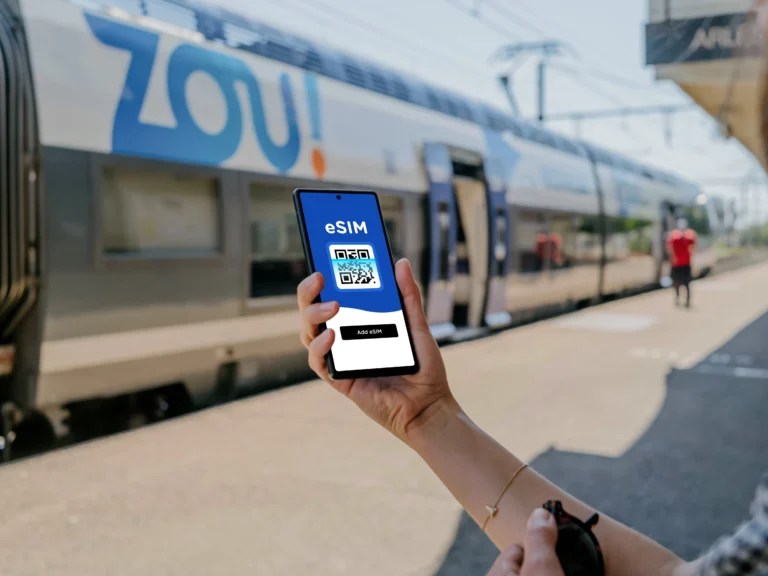
By 2026, the technology has transitioned from a luxury feature for flagship devices to a global standard. Global adoption rates indicate that approximately 5 billion devices now carry this embedded technology, effectively moving the mobile industry toward a future where physical slots are obsolete. When a phone supports eSIM, it utilizes a software-driven activation process where you simply scan a QR code or enter a digital key to connect to a mobile network, making the days of fumbling with paperclips and tiny pieces of plastic a thing of the past.
eSIM vs Physical SIM in Plain Terms
The primary difference between these two formats lies in their physical presence and flexibility. A physical SIM card is a removable memory chip that stores your subscriber identity; it is susceptible to being lost, bent, or even damaged by moisture. If you want to change providers or travel abroad using a physical card, you must physically eject the tray and swap the chip. This traditional method limits you to the number of physical slots available in your phone, which is typically one or two.
An eSIM, however, is entirely digital and integrated into the hardware, which means it cannot be lost or stolen separately from the device. This format provides a significant leap in convenience because it allows for the storage of multiple “profiles” simultaneously. While you might only use one or two lines at a time, you can have several different plans saved in your settings and toggle between them with a few taps. This digital nature also enhances security; if someone steals your phone, they cannot remove the SIM to stop the “Find My” tracking, as the cellular identity is hardwired and password-protected.
| Feature | Physical SIM Card | Embedded SIM (eSIM) |
|---|---|---|
| Physical Form | Removable plastic chip | Built-in internal microchip |
| Activation | Manual insertion required | Digital download via QR/App |
| Durability | Can be lost, broken, or worn | Permanent and protected hardware |
| Swapping | Requires physical tools | Managed via software settings |
| Multiple Lines | Limited by physical tray slots | Supports many stored profiles |
Why Travelers and Campers Care About eSIM Compatibility
For those who frequently find themselves in the backcountry of National Parks or crossing international borders, eSIM compatibility is a total game-changer for staying connected. Instead of hunting for a local mobile shop in a foreign city or realizing you have no signal at a remote trailhead, you can download local data plans before you even arrive. This is especially vital for campers who need to verify your phone’s eSIM readiness to ensure they can access maps and weather updates in areas where their primary carrier has zero coverage.
The ability to instantly switch to a provider with better local reception is a huge win for safety and convenience. Imagine you are heading into a remote section of a National Park where your main provider is notoriously weak, but a local regional carrier has a strong signal from a nearby tower. With an eSIM-capable phone, you can purchase a small data package for that specific region online and activate it immediately. You avoid the stress of a “no service” bar during a hike, and you don’t have to carry a bag of plastic SIM cards for every state or country you visit.
- Instant Connection: Travelers can purchase and install a plan while waiting at the airport gate or even while sitting in their tent using a weak roaming signal.
- Cost Savings: You avoid the exorbitant roaming fees charged by home carriers by accessing local rates directly on your device.
- Space Efficiency: Since there is no need for a physical slot, newer rugged phones designed for the outdoors can be sealed more effectively against water and dust.
- Reliability in Remote Areas: Having the option to store multiple carrier profiles means you always have a “Plan B” if your primary network fails in the middle of nowhere.
The Fastest Way to Check eSIM Support in Under 2 Minutes
Checking for eSIM support doesn’t require a degree in computer science or a long call to tech support. In fact, most users can verify their hardware readiness in less time than it takes to brew a cup of coffee. By looking directly at your device’s internal settings or using a universal hardware code, you can confirm if that tiny digital chip is waiting to be activated.
Manual verification is the most reliable method because it accounts for specific regional variations that general online lists might miss. For instance, some phones manufactured for specific markets lack the necessary internal hardware even if the global version includes it. Using the following methods ensures you are looking at the specific capabilities of the device in your hand right now.
Using Your Phone Settings Menu
The most intuitive way to verify compatibility is to dive into your device settings to see if the option to “Add eSIM” actually exists. This menu is effectively a live dashboard of your phone’s cellular capabilities. If the option is visible, your phone has the embedded hardware required to run a digital profile.
For iPhone users, the path is straightforward: head to Settings, tap General, and select About. Scroll down to the bottom where you see the “Available SIM” section. If you see an entry here with a digital identification number (EID), you’re good to go. Alternatively, you can go to Settings > Cellular and look for the Add eSIM button. If that button is present, your hardware is ready.
Android users will find this information in a slightly different neighborhood. Generally, you should navigate to Settings and tap on Connections or Network & Internet. From there, select SIM Card Manager or SIMs. Look for a plus sign (+) or an option that says Add eSIM or Download a SIM instead. If your screen displays these options, it confirms the internal chip is active and ready for a plan download. For more context on what to do if these settings are missing, you might want to read about everything you need to know about eSIM to troubleshoot potential regional locks.
Dial Codes That Reveal eSIM Capability
If you want an even faster “short-circuit” method that works across almost all brands, you can use a universal USSD dial code. Dialing *#06# on your phone’s keypad is the fastest diagnostic tool available. This command triggers the hardware to display its unique identification strings, including the IMEI and, most importantly, the EID.
The EID (Embedded Identity Document) is the unique serial number attached to the physical eSIM chip soldered onto your motherboard. Think of the IMEI as the social security number for your physical SIM slot, while the EID is the social security number for your digital one. If you dial the code and an EID number (usually a 32-digit string) pops up on the screen, your phone undeniably contains the physical hardware needed for eSIM technology.
If you only see IMEI numbers and no EID, your device likely lacks the embedded chip. This is an absolute hardware check; if the EID isn’t there, no software update can create one. Seeing the EID is the ultimate “green light” for travelers looking to ditch plastic cards for their next trip. This quick check is a vital part of the eSIM technology guide for travelers since it prevents the frustration of buying a digital plan for a phone that physically cannot support it.
eSIM Compatibility by Phone Brand
It is quite a relief that the days of searching for a paperclip to poke open a tiny metal tray are fading away. While nearly every major manufacturer has embraced digital SIM technology, the specific models and regional versions can vary wildly. Understanding whether your specific device is on the list of updated list of eSIM compatible phones 2025 is the first step toward a hassle-free travel experience.
As we move into 2026, the transition is accelerating, with many brands ditching the physical slot entirely. This shift isn’t just about saving space; it’s about giving you the ability to manage multiple networks without carrying a wallet full of plastic. Whether you are a loyal iPhone user or a fan of the open Android ecosystem, here is the state of compatibility for the major players in the market today.
Apple iPhone Models With eSIM Support
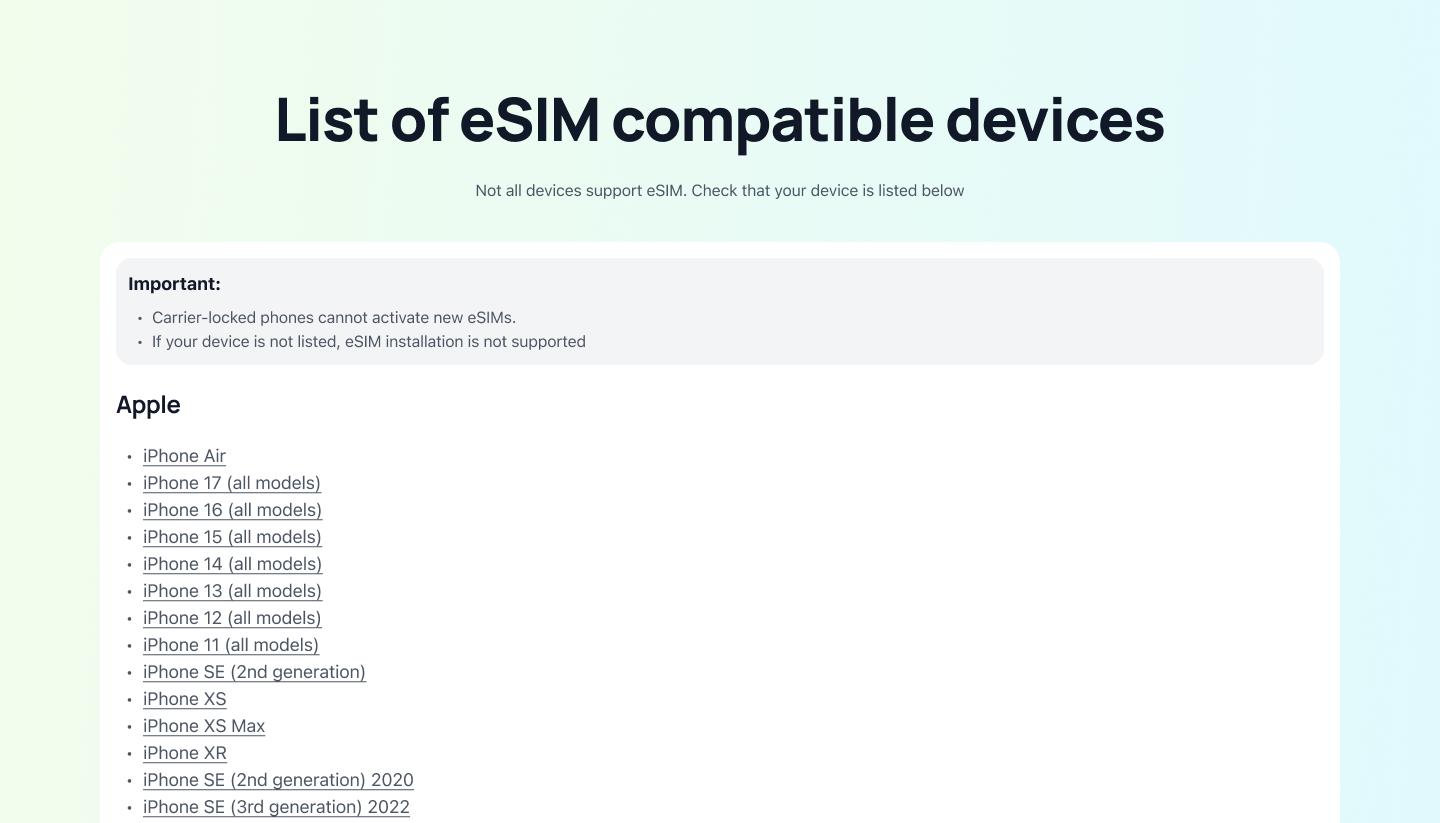
Apple was the primary driver for this technology, and they’ve been incredibly consistent since 2018. If you have an iPhone 11, 12, 13, 14, 15, 16, or the newest iPhone 17 and 17 Pro, your device is equipped with the necessary hardware. Every flagship model released in the last several years includes the internal chip required to host digital profiles.
A significant shift occurred with the release of the iPhone 14. For those buying their devices in the United States, Apple removed the physical SIM tray completely starting with that generation. This means if you own a US-purchased iPhone 14, 15, 16, or 17, you are living in an eSIM-only world. When preparing for a trip, checking an iPhone 16 eSIM compatibility guide can help you understand how to manage your dual active profiles or store up to eight different plans for frequent international jumping.
Samsung Galaxy Phones That Support eSIM
Samsung has brought digital SIM tech to its premium lineup with a focus on high-performance connectivity. Most flagship S-series devices from the S20 through the S21, S22, S23, S24, S25, and the latest S26 support the tech. The foldable revolution also sparked wider adoption, with every generation of the Galaxy Z Fold and Z Flip series including the embedded chip as a standard feature.
Interestingly, Samsung is now bringing this feature to its more affordable mid-range devices. Newer A-series models, such as the Samsung Galaxy A56, now offer eSIM support, making it accessible to those who don’t want to pay flagship prices. A major trend for 2026 is the use of Dual SIM Dual Active (DSDA) technology. This allows your Samsung phone to keep two digital lines active simultaneously, so you don’t miss a call on your home number while using local data abroad. Keep in mind that older models like the Samsung Galaxy Note 10 eSIM availability is non-existent because the hardware simply wasn’t included in that era.
Google Pixel and Other Android Brands
Google was actually one of the very first to experiment with this tech, starting with the Pixel 2, though it didn’t become fully optimized until later. If you are using a Pixel 3a, 4, 5, 6, 7, 8, 9, or the cutting-edge Pixel 10, your phone is ready for a digital plan. Google’s implementation is often praised for being the most user-friendly within the Android world, often allowing for a single-tap transfer when moving your plan from an old device to a new one.
Other manufacturers are following suit to keep up with the global standard. The Motorola Razr series has leaned heavily into eSIM, and the latest OnePlus 13 and 14 models have finally made it a standard feature for their global releases. Even budget-friendly brands are starting to incorporate the technology as carriers push to phase out physical cards. While these brands are making progress, always double-check your specific regional model because some versions sold in certain Asian markets may still rely on two physical slots instead of the embedded hardware.
Carrier and Region Locks That Can Block eSIM
Having a phone with the right internal chip is only half the battle. Even if your device is a modern flagship, specific software restrictions or regional manufacturing choices can prevent you from downloading a digital data plan. It is incredibly frustrating to land in a new country only to find out your “ready” phone has a digital padlock on it.
In 2026, the two biggest hurdles are carrier locks and region-specific hardware variations. Carriers use software to keep you on their network, while manufacturers sometimes build different versions of the same model to comply with local laws or market preferences. Understanding these blockers is the only way to avoid being stranded without data.
Factory Unlocked vs Carrier Locked Phones
When you buy a phone directly from a company like Apple or Google, it is usually “factory unlocked,” meaning you can use it with any carrier in the world right out of the box. However, if you bought your phone through a subsidized payment plan or a “buy one, get one” deal from a provider like Verizon, AT&T, or T-Mobile, the device is likely carrier-locked. This lock effectively disables the eSIM’s ability to recognize and download profiles from any other network until the phone is fully paid off.
Carriers implement these locks to protect their investment, but they can be a nightmare for travelers. In fact, some providers have even introduced roaming blocks that detect when you are trying to use a cheap local data eSIM alongside your primary line. They do this to nudge you toward their expensive daily roaming passes. If you still owe monthly installments on your device, there’s a high chance your digital SIM slot is restricted.
Checking your status on an iPhone is straightforward, and you should do it before every trip.
- Open the Settings app.
- Navigate to General and then tap About.
- Scroll down until you see the Carrier Lock section.
- If it says No SIM restrictions, you are free to use any travel plan.
- If it says SIM Locked, you’ll need to contact your carrier to request an unlock, which usually requires the device to be paid in full.
Why Region Variants Matter for eSIM
You might assume that every iPhone 15 or Samsung Galaxy S24 is identical regardless of where it was purchased, but that is a common misconception. Manufacturers often create specific regional variants that look the same on the outside but have different internals. The most famous example involves devices manufactured for the Mainland China, Hong Kong, and Macau markets.
In these regions, iPhones are often built with two physical SIM card slots rather than an eSIM chip. This is largely due to local consumer preferences and regulatory environments. Even if you have a top-of-the-line Pro Max model, if it was intended for the Chinese market, it physically does not have the EID required for digital activation. You’ll be limited to using physical cards for the life of that device.
Similarly, some Samsung and Xiaomi models sold in specific Asian or Middle Eastern markets may prioritize dual physical slots over digital support. To make things even more confusing, some carriers in these regions might disable the eSIM firmware for competitive reasons. Before you get too deep into your travel planning, you should methods to verify eSIM on Xiaomi 12 or any other brand to ensure your specific regional model isn’t the “physical-only” version. If your settings menu is missing the “Add eSIM” option despite the model name suggesting it should be there, a regional hardware lock is almost certainly the culprit.
How to Check eSIM Support Without Turning On the Phone
Checking for digital SIM compatibility is a bit trickier when you cannot simply scroll through the settings menu. If you are looking at a device that is powered off, has a dead battery, or is still sealed in its original box, you have to rely on external hardware clues. This part of the process is especially useful for shoppers at tech markets or those receiving a handed-down device that hasn’t been charged for months.
By 2026, the transition toward iSIM and integrated hardware has made these external marks even more significant. Manufacturers now include specific identifiers on the exterior of the device or the packaging to signal that the phone is ready for the “profile pull” technology of modern networks. You just need to know exactly which serial numbers and physical ports to inspect.
Using the Model Number Lookup Method
The most definitive way to verify hardware without power is to find the official model number. This is not the marketing name like “iPhone 16” but a specific alphanumeric string assigned during manufacturing. On many devices, you find this printed in tiny, barely visible text on the back glass or laser-etched directly onto the SIM tray.
If the text on the back is too small to read or has worn off, eject the tray and look for the model code stamped on the metal surface. Once you have this code, you can search it against the manufacturer’s official technical database. These databases list every internal component, including whether the specific regional variant includes the embedded chip.
Comparing this model number against the updated list of eSIM compatible phones 2025 helps you cross-reference regional hardware differences. This is a vital step because a model intended for one market might have the digital chip, while the same-looking phone from another region might rely solely on physical slots. This method bypasses any software confusion and tells you exactly what hardware is soldered onto the motherboard.
Buying Used Phones and eSIM Risks
Purchasing a pre-owned device introduces a unique set of challenges beyond just hardware compatibility. Even if a model search confirms the phone has the correct microchip, you might still face activation blocks. If the previous owner did not properly remove their digital profile or if the device is still linked to a carrier’s “Find My” service, the digital slot could be virtually locked.
Another major risk involves the phone’s status on global blacklists. If a device was reported lost or stolen, its IMEI and EID numbers are flagged across international databases, preventing any new carrier from activating the line. You can check this by locating the IMEI on the back of the phone or the original box and running it through an online status checker before handing over your cash.
- Previous Owner Locks: A lingering iCloud or Google account lock can sometimes interfere with adding a new cellular plan.
- Unpaid Contracts: If the original buyer stopped making payments, the carrier may have “blacklisted” the digital chip from being moved to a new network.
- Damaged Logic Boards: In rare cases of heavy impact or water damage, the tiny eSIM chip can fail even if the physical tray still works perfectly.
Before committing to a used purchase, always verify these details to ensure you aren’t stuck with a high-tech brick. If you are planning a trip soon, browsing a travel eSIM guide for Central America or a similar regional resource can give you a better idea of which secondary market devices are easiest to activate in foreign territories.
eSIM and Dual SIM Setups Explained
The arrival of eSIM technology has completely rewritten the rules for how we handle our mobile connections, especially for those of us who hate carrying around paperclips just to swap plastic cards. Getting your hardware ready for a digital plan opens up a world of “Dual SIM” possibilities that were once reserved for chunky, specialized business phones. Now, whether you are rocking a budget-friendly Android or the newest flagship, you can manage multiple identities on one device without breaking a sweat.
Setting up your phone to handle two lines at once is a total lifesaver for anyone balancing a hectic social life with professional demands. It’s essentially like carrying two phones in your pocket, but without the extra weight or the double charger anxiety. Plus, for the frequent flyers among us, it means you can land in a new country and start posting to your story before you even get off the plane.
Using eSIM and Physical SIM Together
Most mid-range and premium phones today utilize what I like to call a “hybrid” setup. This involves one physical slot for your old-school plastic card and an internal chip for your digital profiles. It is the perfect middle ground for someone who isn’t quite ready to fully ditch their physical card but wants the freedom of and benefits of combined eSIM and traditional SIM use. You keep your main home number on the plastic card and use the digital slot for local data when traveling or for a dedicated business line.
Managing your numbers in this setup is incredibly intuitive. Most modern operating systems allow you to label your lines things like “Work,” “Travel,” or “Personal” so you never accidentally text your boss from your vacation burner. You can also specify which line handles your data and which handles your voice calls.
- Primary Line: Use your physical SIM for your permanent number to ensure you always receive important banking two-factor codes.
- Secondary Line: Use the eSIM for short-term travel plans or a second work number you only turn on during office hours.
- Data Control: Toggle between networks in your settings to ensure you are using the cheapest data plan available at any given moment.
This dual SIM with eSIM setup guide logic applies to most popular devices released in the last few years. It gives you the flexibility to maintain a professional image while keeping your personal life private, all while saving a ton of cash on roaming fees.
Battery and Performance Considerations
One of the biggest myths floating around is that using an eSIM or running two lines simultaneously will absolutely murder your battery life. In reality, modern mobile chips are designed specifically to handle multiple network connections with extreme efficiency. While it’s true that your phone has to talk to two different cell towers at once, the power drain is usually negligible, often less than a few percentage points over an entire day of heavy use.
As we move into 2026, the technology is getting even leaner with the rise of iSIM (Integrated SIM). Unlike the standard eSIM which is a separate chip on the motherboard, iSIM integrates the SIM functionality directly into the main processor of the phone. This shift is a total win for performance because it removes the need for data to travel across the circuit board, which uses less power and makes the connection snappier.
- Smaller Footprint: iSIM is roughly 98% smaller than a standard eSIM chip, leaving more room for bigger batteries.
- Power Efficiency: Because the SIM logic lives inside the CPU, it shares the processor’s power-saving features, significantly extending your screen-on time.
- Bank-Grade Security: Integrating the SIM into the “brain” of the phone makes it almost impossible for hackers to intercept the signal.
When you are managing multiple digital SIM plans, stay confident that your device is built for this. The transition from separate chips to integrated silicon means your phone stays cool and responsive even when jumping between international networks. You get all the perks of a multi-line setup without the old-school hardware lag.
Confirming eSIM Readiness Before You Travel
Confirming your device is ready for a digital plan is the most effective way to avoid connection issues once you land in a new destination. Even if your hardware supports the technology, you must ensure the software is updated and the cellular radio is not restricted by a service provider lock. By 2026, most carriers have transitioned to “Push-to-Device” activation, but this only works if your phone is in a receptive state. Checking these details before you leave prevents the stress of troubleshooting in a foreign airport without a stable data connection.
How to Choose the Right eSIM Plan
Choosing the perfect plan requires matching your specific destination’s network landscape with your actual data consumption habits. If you are heading on a cross-country road trip or a remote camping excursion, you cannot rely solely on standard city-focused plans. In these variable-signal environments, you need a package that provides roaming access to multiple local carriers rather than being tied to just one network. This ensures that if one tower is blocked by a mountain or forest, your phone can automatically pivot to a stronger secondary signal.
When choosing an international data plan, consider the duration of your trip and the intensity of your internet use. Use the following guidelines to estimate your needs:
- Light Usage (1GB – 3GB): Best for travelers who only need Google Maps for navigation, occasional email checks, and sending text-based messages on WhatsApp.
- Moderate Usage (5GB – 10GB): Ideal for the social media enthusiast who uploads photos, browses travel blogs, and uses music streaming services during transit.
- Heavy Usage (20GB+ or Unlimited): Necessary for digital nomads, remote workers on Zoom calls, or those planning to stream high-definition video in their camper van at night.
For those visiting popular hubs, a complete Thailand eSIM setup guide or similar regional resource can help you identify which local provider offers the best coverage for your specific itinerary. Always look for “Auto-Switch” features in the plan description, which allows your device to jump between different local networks to maintain the fastest possible 5G speeds.
Common eSIM Compatibility Mistakes and How to Avoid Them
The most frequent error travelers make is attempting to activate a new profile while their phone is in “Airplane Mode” or disconnected from the internet. An eSIM activation is a digital handshake between your device and the carrier’s server, which requires an active Wi-Fi or cellular data connection to complete. If you try to scan a QR code while standing in a dead zone, the download will fail 100% of the time. Always perform your initial setup at home or using reliable airport Wi-Fi to ensure the profile downloads correctly.
Software neglect is another major blocker that many users overlook until it is too late. Running an outdated version of iOS or Android can cause the “Add eSIM” menu to glitch or prevent the camera from recognizing the activation QR code. A blurry or low-resolution image of your QR code on a second screen can also lead to “Invalid Code” errors, which are easily fixed by increasing the brightness of the screen you are scanning.
| Common Mistake | Immediate Solution |
|---|---|
| No Active Internet | Connect to a stable Wi-Fi network before starting the installation. |
| Outdated Firmware | Update your phone software to the latest version in the General settings menu. |
| Blurry QR Scanning | Print the QR code or view it on a high-resolution tablet with 100% brightness. |
| Locked Device | Verify “No SIM Restrictions” in your settings; if locked, contact your carrier. |
| Too Many Profiles | Delete old, expired eSIM profiles if you reach your phone’s maximum storage limit. |
If you encounter an error stating that the “eSIM cannot be added,” it often means the profile was already partially downloaded or the code has reached its activation limit. In these cases, a quick restart of the device or a manual entry of the SM-DP+ Address and activation code usually bypasses the glitch. Staying proactive with these checks means you can enjoy your trip with the confidence that your data will be ready the moment you touch down.
Conclusion
Checking your phone’s compatibility takes only a few taps or a quick universal dial code. To avoid any travel day headaches, you must confirm both the physical presence of the digital chip and your device’s carrier lock status before you buy a plan.
Once you see that your hardware is ready and your “Carrier Lock” says “No SIM restrictions,” you are all set to ditch the plastic. Take two minutes now to verify your device so you can enjoy a stress-free connection on your next big trip.