Best eSIM For USA In 2026: Top Data Plans For Tourists And Business Travelers
Staying connected while navigating the colorful streets of Manhattan or road-tripping through the Grand Canyon is no longer about hunting for physical SIM cards at expensive airport kiosks. A travel eSIM is a digital chip already inside your phone that lets you activate a local data plan instantly, bypassing the need for a physical card or a paperclip. Whether you are visiting for a high-stakes business meeting or a bucket-list vacation, picking the right digital plan is the smartest move you can make to avoid those soul-crushing roaming fees.
In this guide, I’m breaking down the best eSIM for USA travel guide to help you keep those 5G speeds cranking from coast to coast. We’ll look at the three heavy hitters in the space: specialized travel stores like Gohub, flexible prepaid carriers such as Tello, and the big-name local networks. By the end of this, you’ll know exactly which provider offers the most bang for your buck and how to get set up before your plane even touches the tarmac.
The beauty of going digital is that it’s incredibly practical for every type of traveler. You’ll learn how to score budget-friendly USA data plans that don’t sacrifice performance, ensuring you can stream, navigate, and take Zoom calls without a hitch. If you’re still on the fence, you might even want to check out some free eSIM trial offers to test the waters before you commit your travel budget. Let’s dive into the details and get you connected.
Why the USA Is Tricky for Mobile Data
Planning your connectivity for a trip to the United States requires more homework than almost any other destination. The sheer geography and the structure of the US mobile market create genuine headaches for travelers who expect perfect service the moment they land. You might assume that because the US is technologically advanced, data access is easy. The reality is often spotty coverage, complex network layering, and a heavy penalty if you rely on your home carrier’s roaming plans. If you are looking for the best eSIM for USA travel 2025, you must first understand why the local infrastructure makes things difficult for visitors once they leave major hubs.
Multiple Networks and Coverage Gaps
When you travel locally in Europe or Asia, you often connect to one or two dominant infrastructure providers, which keeps things relatively simple. In the US, you are dealing with three monolithic carriers, often referred to as the “Big Three”: Verizon, AT&T, and T-Mobile. Their coverage maps look like vastly different jigsaw puzzles.
If you land in New York City, you will likely have excellent 5G access from all three, but that’s where the comfort ends. The coverage these networks offer varies wildly as you move away from population centers. For instance, a provider that is a top choice in Manhattan for blistering download speeds could become practically unusable the second you head toward a state park in Colorado or a remote stretch of highway in Montana. It is a trade-off you have to weigh: speed in the city versus reach in the countryside.
Recent network changes have made this even more complex. Carriers have shut down older 3G networks to prioritize 5G infrastructure. While 5G is fast, the signal does not always penetrate thick walls or reach deep into rural “dead zones.” Furthermore, many affordable data plans rely on Mobile Virtual Network Operators (MVNOs). These companies rent space on the Big Three’s towers. When a network gets saturated—like during a holiday weekend at a popular tourist destination—the carrier gives the fastest speeds to their own expensive monthly customers first. Prepaid tourists on these “de-prioritized” plans often see their data speeds crawl when they need them most.
Why Airport SIMs and Roaming Often Disappoint
Standing at baggage claim, the traditional traveler’s options usually boil down to two scenarios: expensive roaming or overpriced physical SIM kiosks. You want instant connectivity, but these options make you pay a premium for convenience.
International roaming from your home carrier is often the most expensive path. It is common to see charges hovering between $12 to $15 per day just for basic data access and notifications. That adds up to hundreds of dollars for a two-week trip. It is simply not an efficient budget move for a modern traveler when local digital options exist at a fraction of that price.
Then there are the physical SIMs sold at US airport kiosks. While these avoid the massive roaming bills, they come with their own frustrations:
- Inflated pricing: Kiosk vendors know you are a captive audience and price their plans accordingly.
- Limited selection: You might only find a few 7-day or 15-day plans with modest data caps.
- Setup friction: You have to wait in line, show your passport, and manually swap tiny plastic cards.
Relying on airport Wi-Fi as a temporary fix is also risky. These networks are usually slow, congested, and have weak signals that fail during resource-intensive tasks like video calls or downloading large offline maps. This is why a digital solution like a travel eSIM is the smarter move. You can secure a detailed guide on USA eSIM features before you fly, allowing you to activate your plan the moment the plane touches the runway. By bypassing the physical kiosk entirely, you save money and avoid the technical hurdles of the US carrier landscape.
What Makes the Best eSIM for USA Visitors
Finding a reliable connection in a country as massive as the United States is about more than just finding the lowest price. You need a digital plan that actually works when you are trying to pull up Google Maps in a crowded city center or uploading a video from a rest stop in the Midwest. While many providers promise high-speed access, the actual experience often depends on which physical towers you are connecting to and how yours is prioritized against millions of local users. To secure the best experience, you should look for plans that offer a balance of broad coverage and technical optimizations that reduce lag.
Coverage on Major US Networks
The backbone of any affordable eSIM for USA travel is the underlying infrastructure it uses. In the United States, your service will almost certainly run on either T-Mobile, Verizon, or AT&T. T-Mobile currently leads the pack for 5G availability and raw download speeds in urban environments, making it a fantastic choice for city dwellers. On the flip side, Verizon is widely regarded as the king of rural reach. If your itinerary involves hiking through National Parks or driving across state lines, an eSIM that utilizes Verizon towers provides a much-needed safety net in areas where other signals go to die.
One critical factor many travelers overlook is a process called deprioritization. Even if you have five bars of signal, your data might feel sluggish. This happens because major carriers prioritize their direct, high-paying customers during times of heavy network congestion. As a travel eSIM user, you are essentially a guest on the network. In crowded places like stadiums, music festivals, or busy tourist hubs like Times Square, the local towers may throttle guest users to ensure their primary subscribers maintain a stable connection. While you will rarely lose signal entirely, you might notice that photos take a few extra seconds to send when the streets are packed.
Reliable Speeds in Cities and on the Road
To get the most out of your trip, 5G access is no longer a luxury; it is a necessity for a smooth experience. Most modern smartphones are built to handle these frequencies, but some budget eSIMs restrict you to older 4G LTE bands. Accessing 5G Standalone networks in 2025 means better battery life for your device and significantly faster upload speeds, which is a major win if you are frequently posting to social media or hopping on video calls. Always verify that your chosen provider explicitly lists 5G support rather than just “high-speed data.”
Another hidden technical hurdle is the physical location of the data servers. Many international eSIM brands route your internet traffic through a home server in Europe or Asia before it reaches the US website you are trying to visit. This creates a phenomenon known as latency or “lag.” Even with a full 5G signal, you might experience a delay when you click a link or try to start an Uber request. To avoid this, look for providers that offer local data breakout. This ensures your data stays within the United States, providing a snappier, more responsive internet experience that feels exactly like using a local American phone.
- T-Mobile-based plans: Best for top-tier 5G speeds in New York, Los Angeles, and Chicago.
- Verizon-based plans: The go-to option for cross-country road trips and remote mountain regions.
- Local Data Breakout: A feature that reduces lag by processing your internet traffic inside the USA.
- Fixed Data Packages: Often better than “unlimited” plans as they typically do not throttle your speed until the data is fully used.
Choosing the right plan involves checking these small technical details. If you want to skip the guesswork, looking into budget-friendly eSIMs for the United States that specify their network partners and 5G capabilities will save you plenty of frustration once you land.
Best eSIM Use Cases in the USA
Switching to an eSIM for your trip across the United States isn’t just about convenience; it’s about strategy. The connectivity challenges here, driven by massive geography and carrier competition, mean that one size definitely doesn’t fit all. Your perfect data plan hinges entirely on what you plan to do and where you plan to go. Are you hopping between high-rise offices in Boston and San Francisco? Or are you planning a cross-country journey where connectivity is genuinely a matter of safety? Using the wrong type of eSIM means dealing with slow speeds, dropped video calls, or worse, finding yourself completely offline when you need navigation the most. That’s why understanding the best eSIM use case for your specific U.S. itinerary is the first step toward a frustration-free trip. Let’s break down the scenarios where a digital plan really shines, because you don’t want to rely on that patchy hotel Wi-Fi when you have deadlines or sights to see.
City Travel and Short Tourist Visits
If your itinerary is contained within major metropolitan areas like New York, Los Angeles, or Chicago, your priority shifts from broad coverage to raw performance and immediate activation. You need speed to fuel non-stop social media stories, constant mapping updates through crowded streets, and quick messaging with tour operators. In this scenario, you want a provider that prioritizes T-Mobile’s superior 5G footprint within city limits, as they currently lead on urban 5G availability.
For this type of quick, urban trip, providers that focus on downloadable, on-demand data packages are the sweet spot. Airalo and Nomad, for example, excel here. They offer small data buckets, like 3GB or 5GB, that are perfect for a few days of heavy social usage and navigation. You don’t need a massive 30-day regional plan if you’re only in town for a long weekend.
Stay focused on these urban connectivity priorities:
- Performance Over Volume: Skip the giant 50GB plans. Tourists typically use less data browsing and more for streaming or uploading photos. A 5GB plan that offers true 5G speeds over a 10GB plan stuck on 4G LTE is the better choice for your experience.
- Instant Setup: You need to be online before you hail your first ride-share. These marketplace apps make installation exceptionally fast, which is a huge win when you’re fresh off the plane and eager to start exploring.
- App Reliability: When you’re near a major hub, your phone might briefly try to connect to a weaker signal. A good city eSIM app makes it easy to manage the profile without getting lost in your phone’s settings menu.
Waiting in line to replace your physical SIM when you could be grabbing a slice of deep-dish pizza in minutes? That’s one trade I’m always willing to make. If you’re optimizing for city exploration, these data-centric providers keep your navigation crisp and your uploads fast. To learn more about global options that fit smaller trips, check out this guide on the best prepaid global eSIM for worldwide data.
 Photo by Chait Goli
Road Trips and National Parks
When you trade skyscrapers for sweeping vistas, the priority map flips completely. Forget peak 5G speeds; your primary concern becomes coverage extension. Driving across states like Wyoming, Nevada, or through the vastness of the Pacific Northwest means you will be far outside dense population centers. In these areas, the network backbone truly shows its strength, and one carrier dominates: Verizon. While T-Mobile may claim the fastest speeds in cities, Verizon maintains a massive, reliable advantage in rural and remote areas across the Midwest and West Coast.
For anyone undertaking a significant U.S. road trip, you should select an eSIM provider specifically partnering with Verizon or AT&T. Choosing a provider heavily reliant on T-Mobile’s towers for connectivity in rural stretches is often a recipe for frustration. You’ll be staring at a “No Service” message while simultaneously trying to pull up a campsite reservation or check traffic around a mountain pass.
Understand the critical difference in network focus for rural travel:
- Verizon and AT&T: These networks are known for wide geographic coverage and resilience against signal drop-off in sparsely populated areas. This is your safety net.
- T-Mobile: This network is known for high-density 5G in metropolitan and suburban regions. It’s fantastic when you have signal, but it’s less dependable when you don’t.
Remember that in 2025, even prepaid users benefit from better infrastructure investment, but the raw physical reach still favors the established players in remote locations. If you are driving for days in a row, look for plans that offer reasonable data allowances with a fallback to reliable 4G LTE via Verizon to keep your critical navigation running smoothly. A data plan suited for international travel might not cover the specific needs of crossing multiple, vast American states efficiently. Look for regional USA-specific plans that clearly list their network partner to avoid that sudden gap in service deep in the desert.
Business Travel and Conferences
Business travel demands dependability and low latency above all else. When you are attending a conference in San Francisco or negotiating a deal in Dallas, your phone needs to function as a fully capable mobile office. This means your eSIM plan must support hotspot and tethering capabilities. Dropping the signal during a crucial Zoom meeting because your data plan specifically forbids sharing the connection is simply not an option. You need to connect your laptop or tablet, and that requires tethering permission baked into the plan structure.
For this segment, I strongly recommend looking at providers like Google Fi or T-Mobile Prepaid specific plans. These often treat the user experience more like a domestic subscriber rather than a heavily restricted visitor. They are built for heavy users who need consistent throughput for professional applications.
The core requirements for the business traveler include:
- Tethering Enabled: Confirm that hotspot usage is permitted without immediately slowing your speed to a crawl. This is non-negotiable for remote work.
- High-Speed Consistency: Business users require high-speed data for video conferencing and large file transfers. This means you need a plan that either uses premium, prioritized data or offers a very large allowance before any throttling occurs.
- Local Data Breakout: When you are traveling for work, slower connection times feel like wasted billable hours. Choosing a carrier known for strong metropolitan and business district coverage reduces lag time and keeps your professional tools responsive.
Don’t get caught trying to use a tourist eSIM with a strict “no tethering” clause; that’s a quick way to look unprofessional when your connection cuts out mid-presentation. Always check the service terms to confirm you can reliably connect your work devices. For insights into other excellent options, you might find this guide on how to compare international eSIM providers and plans useful when planning multi-country business trips.
Data Needs for USA Travel
Getting your data solution right for a trip across the United States is essential; it is no longer just about browsing social media. Travelers in 2025 use significantly more data than just a few years ago because smartphones handle everything from navigation to digital ticket confirmations. Based on current trends, average consumption has jumped to 15GB or 20GB for many visitors since high-definition video and AI travel assistants require constant, stable connections. Going light on data is a genuine risk when you are covering massive American distances where public Wi-Fi remains spotty or unsecure. Your ideal eSIM must match your actual activity, which typically falls into functional essentials and heavy-duty professional tasks.
Maps, Ride Apps, and Bookings
Functional data needs for navigation and logistics are relatively low, typically requiring only 1GB to 2GB for a week of travel, yet this connection is a non-negotiable safety requirement. When you land, you need immediate access to apps like Google Maps or Apple Maps to navigate complex US highway systems that often feature six or eight lanes of high-speed traffic. These apps prevent you from getting lost in sprawling interchanges or confusing city street layouts.
While basic mapping and hailing an Uber or Lyft do not consume massive amounts of data, the reliability of that connection is vital. Modern mapping applications are efficient because they cache visual information, but route calculation must happen in real time. If your data cuts out because you hit a small cap, you lose the ability to find exits or confirm your ride-share driver’s location.
To ensure your logistics stay on track, consider these baseline needs:
- Navigation: Real-time traffic alerts and rerouting are vital for long drives between states.
- Ride-Sharing: Uber and Lyft require active data to process payments and track your driver in real time.
- Mobile Ordering: Many US restaurants and cafes now prioritize app-based orders for faster service.
Work Calls, Email, and Hotspot Use
Professional data demands are significantly higher, as video calls and tethering can drain a standard 5GB tourist plan in a single afternoon of remote work. If your trip involves attending sales presentations or checking in with a home office, your consumption moves from megabytes to gigabytes very quickly. High-quality video calls are the primary culprit, often consuming up to 1GB per hour depending on the platform settings and participant count.
Relying on hotel Wi-Fi is often a mistake for business travelers; these networks are frequently congested, slow, or have weak signals that fail during resource-intensive tasks. If you need to use your phone as a hotspot to connect a laptop, your data usage will skyrocket as background applications on your computer begin syncing files or downloading updates.
For those who cannot rely on unstable public networks, I recommend the following:
- Prioritize Unlimited Plans: Providers like Holafly offer unlimited data structures that remove the anxiety of running out of juice mid-meeting.
- Check Hotspot Limits: Ensure your eSIM allows tethering, as some “unlimited” plans specifically block sharing data with a laptop.
- Use 5G for Low Latency: Business applications like Slack and Zoom remain much more responsive on 5G Standalone networks, which are now the standard in major US business hubs.
 Photo by Jacob
eSIM vs Airport SIM vs Roaming in the USA
Choosing how to connect your phone when landing in the United States usually comes down to three main contenders: using a digital eSIM, grabbing a physical SIM at the airport, or sticking with your home carrier’s roaming plan. While each option eventually gets you online, the gap in cost and performance is massive. For a modern traveler, the goal is to spend less time worrying about data caps and more time enjoying the trip. Most people find that a local digital setup offers the best balance, especially since US airports are notorious for having overpriced mobile kiosks and your home provider likely charges a fortune for just a few megabytes.
Cost and Convenience Comparison
A travel eSIM for the USA typically costs about $20 for a 10-day 10GB plan, whereas international roaming through your home provider can easily exceed $120 for the same period. If you rely on daily roaming passes, which usually run between $10 and $15 per day, you are paying a massive premium for the convenience of not changing your settings. Those costs add up fast, especially for families or groups where multiple lines are active. In contrast, an eSIM provides a fixed-cost solution that doesn’t hide surprise fees in your next monthly bill.
Beyond the dollar amount, the convenience factor is where the digital route wins. You can buy and install an eSIM instantly through an app like Gohub or Tello before you even leave your house. This means the second your plane wheels touch the runway in JFK or LAX, you have a working data connection. Compare this to the old-school method of hunting for a physical SIM card kiosk at the airport:
- Airport Kiosks: You often face long lines after a tiring flight and have to pay “tourist prices” that are much higher than standard local rates.
- Physical Swapping: You have to find a paperclip, pop out your original SIM, and pray you don’t lose that tiny piece of plastic during your trip.
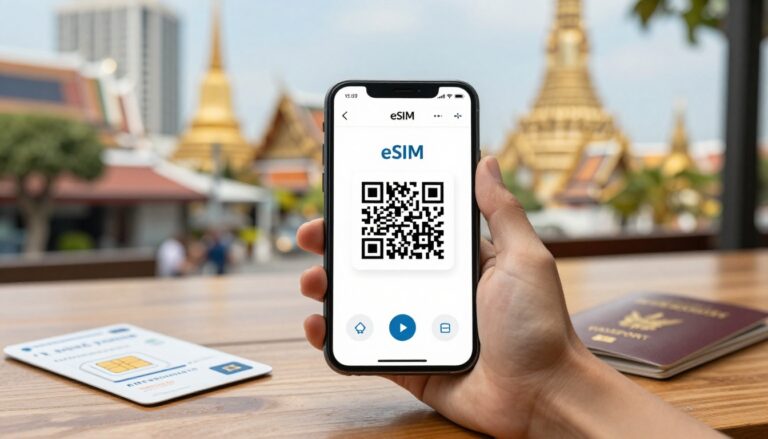
- Instant Activation: With a digital plan, there is no physical hardware. You simply scan a QR code or tap a button in an app to activate your service.
Speed and Reliability Differences
Local eSIMs usually offer much faster data speeds than roaming because they connect directly to US towers without sending your internet traffic back to your home country first. When you use a roaming plan from a provider in Europe or Asia, every website you visit or video you stream has to travel halfway across the world and back. This creates high “latency,” which is that annoying delay you feel when a map won’t load or a video call keeps stuttering. By using a local plan from T-Mobile or Verizon via an eSIM, your data stays within the United States, making the internet feel snappy and responsive.
Reliability is also a major factor when you are moving between different states or entering crowded areas. Local plans are designed specifically for the US infrastructure, meaning they have better hand-off routines between cell towers as you travel. In 2025, US carriers have heavily prioritized Mid-Band 5G, which is the perfect mix of high speed and long-distance reach. While a roaming user might get “throttled” or pushed to a slower 4G signal during busy times, a user on a local network profile is much more likely to maintain a steady 5G connection.
- Lower Latency: Local data breakout ensures your requests are processed at nearby US servers, cutting down on lag.
- Better 5G Access: Many roaming agreements only provide 4G LTE, while local eSIMs give you full access to the latest 5G+ and 5G UC networks.
- Network Priority: During major events or in dense cities, local network users often get more reliable bandwidth than international roaming guests. Common Problems USA Visitors Face With eSIMs
Even with the best planning, traveling across the United States with a digital SIM can throw a few curveballs your way. While the tech is mostly reliable, the U.S. mobile market has its own quirks that can leave you staring at an “SOS Only” message if you aren’t prepared. Most of these headaches come down to how American carriers talk to international hardware or the specific way data is processed on guest networks. If you want to avoid standing around a rental car counter with no signal, you need to know exactly what usually goes wrong and how to sidestep those issues before they happen.
Device Compatibility and Carrier Locks
Before you spend a single dollar on a data plan, you must confirm your phone is fully unlocked and eSIM compatible. This is the number one reason travelers face total service failure. A compatible phone is generally any flagship model released in 2018 or later, such as the iPhone XS and newer or the Samsung Galaxy S20 series. However, just because your phone has the technology doesn’t mean it’s ready to use. If you purchased your device through a contract with a carrier back home, it’s likely “locked” to that provider. A locked phone will flatly reject any travel eSIM you try to install, leaving you with a useless digital profile.
You can usually check this in your phone’s settings under “About” or “Network” by looking for a “Carrier Lock” status that says “No SIM restrictions.” If your phone is still under a payment plan or contract, you’ll need to contact your home carrier to request an unlock before you leave. Additionally, certain American networks like AT&T are notoriously picky about which specific device models they allow on their towers. They maintain a strict “White List” of approved hardware. If you have an international model that isn’t on that list, even an unlocked phone might struggle to connect. In those cases, choosing a T-Mobile-based plan is a much safer bet because they are far more flexible with different phone versions.
Activation Issues on Arrival
The most common trap for travelers is what I call the “deadlock” problem. To download and activate a travel eSIM, your phone needs an active internet connection. If you wait until you’re standing in the middle of a busy U.S. airport to start the process, you might find yourself in a bind. Airport Wi-Fi is often slow, unreliable, or requires a local phone number to sign in, which you don’t have yet. Without that initial connection, you can’t download the digital profile, and without the profile, you don’t have data. It’s a frustrating loop that can take hours to resolve if the airport’s signal is weak.
To stay ahead of this, I always recommend installing your eSIM while you’re still at home or at your departure gate using stable Wi-Fi. Most plans won’t actually start their “validity clock” until you connect to a U.S. tower, so there is no risk in getting the setup done early.
Common activation hiccups in 2025 include:
- The SOS Only Glitch: Your phone shows “SOS” even after activation. This usually means it’s trying to connect to a weak carrier. To fix this, turn off “Automatic Network Selection” in your settings and manually pick a different provider.
- Data Roaming Toggles: Many people forget that they must turn on “Data Roaming” for the eSIM line specifically. Your phone treats the travel profile as roaming even though it’s a local plan.
- APN Settings: Sometimes the tech doesn’t “auto-fill” the network settings. You might need to manually type in a short code provided by your eSIM store to get the data flowing.
- 2FA Lockouts: If you turn off your home SIM entirely, you might stop receiving text codes for your bank or apps. Keeping your home line active in “Standby” mode while using the eSIM for data is the best way to keep your accounts accessible.
How to Set Up a USA eSIM Before You Land
Setting up your mobile connection before you leave your couch is the ultimate travel hack for 2025. It completely removes the stress of navigating a busy arrivals hall while trying to find a signal to hail a ride. By taking care of the technical heavy lifting at home, you ensure that your phone transitions from your domestic provider to a US network the moment the plane wheels touch the tarmac. This process is straightforward, but doing it in the right order is the secret to a headache-free start to your trip.
What to Do Before Departure
I always suggest purchasing your data plan at least two days before you head to the airport. This buffer gives you plenty of time to resolve any unexpected payment issues or delivery delays with your digital QR code. Once you receive your activation email, avoid the temptation to wait until you are in the air. Instead, use your stable home Wi-Fi to scan the QR code and register the profile onto your device. Do not worry about “wasting” your days; most travel plans do not officially start the countdown until they detect a signal from a US tower like T-Mobile or Verizon.
Once the profile is on your phone, you should organize your settings to avoid confusion later. If you need a detailed walkthrough for specific devices, an iPhone 11 eSIM activation guide provides an excellent blueprint for the general steps used on most modern smartphones.
To keep your lines organized, follow these steps while still at home:
- Label your lines: Go into your cellular settings and rename your existing physical SIM as “Primary” or “Home” and the new digital line as “USA” or “Travel.”
- Toggle the USA line off: Keep the new line disabled until you are actually on the plane or landing to save battery.
- Confirm the Primary line settings: Ensure your home line is still set for default voice and messages so you don’t miss important texts while packing.
Arrival Day Checklist
Landing in a new country is busy enough, so your goal on arrival day is to make the switch in under sixty seconds. As soon as the flight crew gives the “all clear” to use electronic devices, toggle your “USA” line to On in your cellular settings. The most critical step here is to find the Data Roaming switch specifically for your travel line and turn it on; even though it is a local USA plan, your phone often needs this enabled to bridge the connection with the local partner towers.
To protect your wallet, you must be surgical with your data settings. Double check that your “Primary” home line has Data Roaming turned Off and that “Cellular Data Switching” is disabled. This prevents your phone from “helping” you by using your expensive home data if the US signal is temporarily weak.
If the 5G or LTE icon does not appear within two minutes of landing, use this quick troubleshooting sequence:
- Toggle Airplane Mode: Turn it on for ten seconds and then off to force a fresh tower search.
- Restart Your Device: A full reboot is often the only way to clear out old network cache and handshake with the new carrier.
- Check the APN: Ensure the Access Point Name settings match what was provided in your activation email, as some older models do not auto-fill this data.
- Manual Network Selection: If you have no bars, go to settings and manually choose a network like T-Mobile or AT&T rather than letting the phone choose automatically.
Conclusion
Switching to a digital data plan is the most effective way to save money while navigating the United States, as it cuts out the extreme costs of international roaming and the high markups found at airport shops. To get the best experience, you must confirm your device is fully unlocked and supports eSIM technology before you leave home. I always tell travelers to buy and install their profile while still on their home Wi-Fi; this avoids the frustration of trying to find a signal once you land.
Your choice should depend entirely on your itinerary. If you are heading to a major city for leisure, a T-Mobile-based plan offers the fastest 5G speeds for your uploads. For business travelers who need to tether a laptop or those planning a remote road trip, a provider that uses the Verizon network is a better bet for reliable reach. Taking these few minutes to prep ensures you stay connected from the moment the plane lands, letting you focus on the trip rather than hunting for a signal.