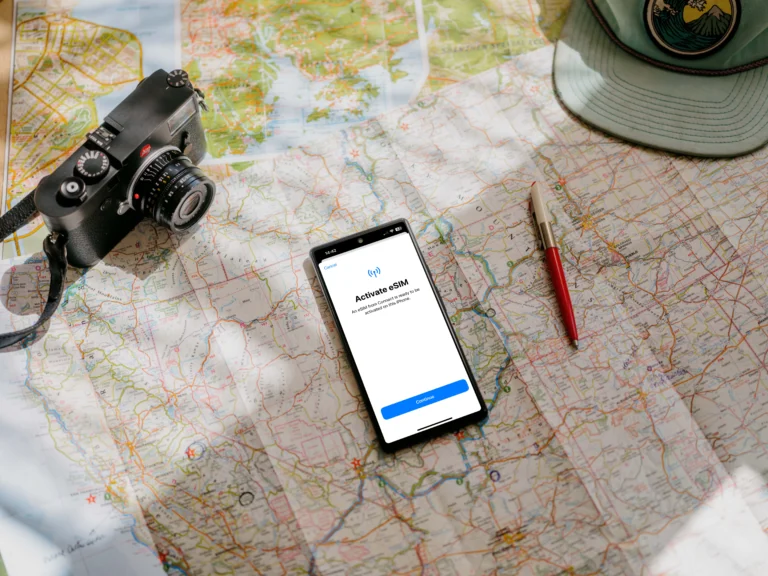
Is Using An eSIM Safe For International Travel? (Security Risks And Benefits)
If you are wondering whether ditching your physical SIM card for a digital one is a smart move for your next trip, I have got a straight answer for you. Using an eSIM is generally safer than a physical SIM card. In fact, it’s one of the most secure ways to handle mobile data while hopping across borders because it eliminates many of the physical vulnerabilities that travelers usually face with traditional plastic chips.
An eSIM is essentially a digital version of a SIM card that is built directly into your mobile device (no more fumbling with tiny trays or paperclips). Because everything is handled through software, you get the benefit of built-in encryption and the ability to manage your connection remotely. This setup is incredibly reliable and keeps your data locked down much better than a piece of plastic that can be easily lost, stolen, or swapped.
In this guide, we’re going to break down the security benefits and address the common risks you need to know about. We’ll dive into:
- Physical vs. Digital Security: Why keeping your SIM inside your hardware is a massive win for safety.
- Avoiding Scams: Common pitfalls like “juice jacking” and fake Wi-Fi networks that an eSIM helps you bypass.
- Step-by-Step Best Practices: Practical tips for setting up your connection securely before you even leave for the airport.
Whether you are planning a slow travel eSIM complete guide or just a quick weekend getaway, understanding these digital attributes is key to a stress-free journey. No one wants to spend their vacation dealing with identity theft or a stolen phone, so let’s look at how this technology acts as your first line of defense.
What Safe Means With eSIMs While Traveling
Switching to an eSIM while traveling often makes you more secure, but “safe” is a word that means very different things depending on what you fear most on the road. To me, we need to separate out a few core concepts, because keeping your connection reliable isn’t the same as keeping your banking information private. You are going to want strong performance in all three areas if you really want that stress-free travel experience.
Privacy vs Security vs Reliability
When people talk about mobile safety abroad, they often mix privacy, security, and reliability together, which makes everything confusing. They are actually three distinct user experience goals that your connection needs to meet. If you are looking for the highest standard of travel tech, you need to be clear on what you are protecting and how you expect it to perform.
Privacy is about keeping what you do online just between you and the website you are visiting. This means blocking trackers and preventing third-party companies from seeing your browsing habits. When using an eSIM and mobile data, your connection is generally more private than when using random public Wi-Fi networks, which are notorious data collection points. Using your eSIM data to check bank balances means your local coffee shop owner, who might run a sketchy “Free_Cafe_WiFi,” can’t see the numbers you are looking at.
Security is about protecting the device itself from malicious actors, like hackers or thieves who want your passwords or identity. This involves encryption standards, device coupling, and protection against malware installation. A digitally installed eSIM is inherently more secure than a physical chip because it is tied directly to your phone hardware profile and can’t be easily removed or swapped without authentication. Think of security as the lock on your front door; it stops unauthorized entry into your personal space.
Reliability, which is often overlooked in security discussions, simply means the connection works when you desperately need it to. This covers the robustness of the network partner an eSIM uses, the stability of the signal, and the ease of support if the connection drops. Without reliability, your data plan is useless, even if it is perfectly private. Are you actually going to be able to order that airport transfer? That is a reliability concern. For instance, knowing the trustworthiness of Gohub eSIM can help you determine if a provider will actually keep you connected in a pinch.
eSIM vs Physical SIM Risk Profile
When comparing the risks, the eSIM pulls ahead mostly because it removes several easy failure points associated with plastic. A physical SIM card is, at its core, a tangible item that is subject to physical loss and tampering. This is something the embedded nature of the eSIM avoids completely. The risk profile difference really boils down to physical exposure versus software management.
| Risk Category | Physical SIM Card | eSIM Profile |
|---|---|---|
| Theft or Loss | High. The card can be physically pulled out, lost, or stolen along with the phone. | Very Low. The profile is embedded in the device hardware and cannot be removed. |
| Swapping Concerns | Moderate. A thief might swap the SIM to gain control of your phone number for SMS codes. | Very Low. Cloning a digital profile is extremely difficult without high-level hardware access. |
| Activation Trust | Often relies on kiosks or in-person swaps, exposing passport details to vendors. | Relies on provider apps and secure payment systems behind encrypted accounts. |
| Remote Problems | Low, as the card is strictly localized to the physical device. | Moderate. If the device is compromised via malware, the digital profile must be managed. |
A physical SIM can be stolen or swapped out, which is a high-leverage attack vector against travelers. Imagine someone boosting your phone and grabbing the tiny SIM card tray. With a physical card, a thief could potentially stick that SIM into another unlocked device to receive verification codes sent over SMS. Setting up a PIN with your carrier is a smart move, but staying on an eSIM for free today to test a digital setup is even better for your defense.
An eSIM is tightly tied to the internal hardware of your phone, meaning it cannot be physically removed unless a thief completely destroys the device itself. If you lose your phone, the eSIM stays resident on that device. You can remotely disable the line or simply stop using the purchased plan, which buys you time. You can also manage multiple profiles, allowing you to instantly switch to a secure, pre-loaded secondary eSIM if your primary line detects suspicious activity or loses network coverage. This baked-in security makes it a no-brainer for those who prioritize digital safety while exploring new countries.
The Main Security Benefits of Using an eSIM Abroad
Using an eSIM provides a massive boost to your mobile defense because it transitions your security from a physical object to a digital environment. Since the chip is soldered directly into your phone motherboard, you effectively eliminate the “grab-and-go” vulnerabilities that plague traditional travelers. It is the gold standard for anyone who wants to avoid the nightmare of identity theft or data breaches while navigating unfamiliar transit hubs.
No Physical SIM to Lose, Steal, or Swap
One of the most immediate eSIM security advantages for travelers is that it completely removes the physical entry point. With a traditional SIM, a thief only needs a paperclip to pop open your tray and snatch your identity in seconds. Once they have that tiny piece of plastic, they can put it in any device and gain access to your contacts, potentially your text messages, and even your two-factor authentication codes.
Because an eSIM has no hole to poke and no card to pop out, it is impossible for a criminal to quickly steal the identity tied to your SIM card. If your phone is stolen, the thief cannot simply “discard” your tracking by tossing the SIM card in the trash. The digital profile remains locked inside the encrypted hardware, meaning you have a much higher chance of locating your device through tracking services like Find My iPhone or Google Find My Device.
Lower Risk of SIM-Swap Style Misuse While Traveling
SIM-swapping is a sophisticated form of fraud where a criminal convinces a carrier to move your phone number to a device they control. This is a common tactic used to bypass bank security. However, digital SIM protection benefits offer a sturdier defense because the profile activation is handled through encrypted QR codes or direct carrier apps that require strict authentication.
An eSIM makes it significantly harder for criminals to trick carriers into transferring your number. Most reputable providers use multi-layered verification before allowing a profile to be downloaded onto a new device. Since the eSIM profile is encrypted and bound to your specific device hardware (EID), cloning it or moving it without your biometric or password-protected authorization is nearly impossible for the average street criminal.
Easier to Keep Your Home Number Protected
Maintaining a separate travel line while keeping your home line active but restricted ensures your most sensitive data stays under your control. When you use an eSIM for data abroad, you can keep your primary home SIM “silent” in the background. This setup allows you to receive vital security notifications and bank alerts via SMS on your home number without actually exposing your primary account to local, unverified networks.
By using the embedded SIM card security benefits, you can create a clear boundary between your travel activities and your financial life.
- Bank Alert Safety: Keep your home SIM active for 2FA codes while using local data for maps and social media.
- Restricted Exposure: Turn off data roaming for your primary line so it only receives incoming texts, preventing unintended data leaks or high costs.
- Emergency Redundancy: If your travel eSIM encounters a network issue, your home line remains as a secure fallback for emergency calls.
This dual-layer approach provides a “digital firewall,” ensuring that even if you encounter a sketchy network or a local data breach, your primary identity and financial access points remain tucked away on your home carrier’s secure infrastructure.
The Real Risks Travelers Should Know
While the digital nature of an eSIM provides a massive security upgrade over traditional plastic cards, it’s not a magic shield that makes you invisible to all travel-related threats. Moving your connectivity into the software layer just shifts the goalposts for criminals. Instead of trying to steal a physical tray, they now target your digital wallet, your personal data, and your device permissions.
Staying safe on the road is about more than just having an encrypted chip; it is about being savvy with the apps you download and the networks you trust. To me, the biggest mistake a traveler can make is assuming that a secure cellular connection makes the surrounding digital environment safe.
Fake eSIM Sellers and Scam Apps
The rise in popularity of digital SIM cards has unfortunately paved the way for a new wave of fraudulent third-party marketplace apps. These “ghost apps” often pop up in social media ads, promising too-good-to-be-true deals like unlimited high-speed data for pennies. In reality, these are often sophisticated phishing operations designed to harvest your credit card information or install malware through malicious QR codes.
When you download an unverified app, you are often handing over more than just a few dollars. Many of these sketchy services are data harvesters that request excessive permissions, such as access to your contacts, photos, and precise location. A legitimate travel data app does not need to see your family photos. If an app asks for everything but the kitchen sink just to sell you a 5GB plan, that is a massive red flag.
To stay protected, I always recommend sticking to well-known, established brands. If you are unsure about a company, checking their history or understanding eSIM security and privacy through official guides can help you separate real providers from the scams. Stick to these standards:
- Check the Developer: Only download apps from the official App Store or Google Play and verify that the developer name matches the brand.
- Analyze Permissions: Deny any requests for photo galleries or contact lists that seem unnecessary for a data plan.
- Verify Reviews: Look for recent comments about failed activations, as many scam apps rely on people being too busy to fight for a $10 refund while on vacation.
Unsecured Public Wi-Fi Still Is Not Safe
One of the most common traps for travelers happens the moment they land. You realize you haven’t downloaded your eSIM yet, so you jump on the “Free_Airport_WiFi” to pull up your email and scan the QR code. This is a significant vulnerability point. Unsecured public Wi-Fi remains a playground for “man-in-the-middle” attacks where hackers can intercept the data traveling between your phone and the provider’s server.
Even though the eSIM activation process itself is encrypted, the rest of your session on that public network isn’t always as locked down. If you are logging into your email or banking app while connected to a sketchy airport hotspot, you are essentially leaving your front door wide open while you fumble with the keys to your new digital SIM.
The best strategy is to be proactive and handle your installation before you even walk out of your house. If you find yourself in a situation where you must download a plan on the go, safe cellular connectivity for Peru travelers or any other destination depends on the following habits:
- Pre-Departure Installation: Always download and install your eSIM profile while on your trusted home Wi-Fi network.
- Use a VPN: If you must use public Wi-Fi, run a reputable VPN to encrypt your session before accessing your eSIM provider app or email.
- Avoid Auto-Join: Turn off the “Auto-Join” feature for open networks on your device to prevent it from hopping onto malicious hotspots without your knowledge.
Travel Best Practices to Stay Secure with an eSIM
Maintaining your digital safety while crossing borders requires a mix of smart tech and common sense habits. While the hardware itself is inherently more secure than a plastic chip, how you manage that connection determines your level of protection. To me, a secure trip starts before you even reach the taxi stand. It’s about creating a “digital fortress” around your device so that even if the worst happens, your data and identity remain locked away from prying eyes.
Install and Test Before Departure
Activating your eSIM on a trusted home network is significantly safer than using public Wi-Fi at your destination. When you sit in your living room, you control the router and the encryption; when you land at an airport, you are often forced onto open, unencrypted hotspots just to download your data plan. These “open” networks are prime hunting grounds for hackers who use man-in-the-middle attacks to intercept the traffic between your device and the provider server.
By completing your iPhone 11 eSIM setup guide or your specific device activation before you leave, you ensure the sensitive exchange of digital keys happens over a secure line. This “pre-landing” activation acts as a defensive shield, because it allows you to verify the connection is stable without exposing your device metadata to sketchy airport gateways. You should aim to see that signal bar pop up (even if it shows no service initially due to geography) before you ever step onto the plane.
Use Strong Screen Lock and Biometric Security
FaceID, Fingerprint ID, and complex PINs are your first line of defense for your data plan because the eSIM is irrevocably tied to the phone hardware. If a thief manages to bypass your lock screen, they don’t just get your photos; they get control over your primary communication line. Since a digital SIM cannot be popped out and discarded like plastic, the only way for a criminal to use your data or impersonate your number is to have full access to your unlocked device.
To me, using a four-digit PIN in 2024 is like leaving your front door unlocked. I recommend the following standards for any traveler:
- Use 6-Digit PINs or Alphanumeric Passwords: These are significantly harder to crack through “shoulder surfing” in busy cafes.
- Enable Biometrics: FaceID and Fingerprint sensors provide a layer of physical verification that a simple code cannot match.
- Disable Lock Screen Control Center: On many devices, a thief can swipe down to enable Airplane Mode even if the phone is locked. Turn this off in your settings so they cannot kill your tracking signal without your biometric signature.
If you are a Pixel user, following a Google Pixel eSIM setup guide often includes reminders to double-check these security defaults. Strengthening these barriers ensures that your “internal” SIM remains a private asset, even if the “external” phone is physically compromised.
Turn On Find My Device and Remote Wipe
Remote wiping is the ultimate “kill switch” for your digital identity because it deletes the eSIM profile along with your personal files. If your phone is stolen, the biggest advantage of an eSIM is that the thief cannot simply “unplug” the internet by removing a card. As long as the phone has power and a signal, it is a beacon. However, if recovery seems impossible, a remote wipe ensures that your data plan and sensitive accounts don’t fall into the wrong hands.
When you trigger a remote wipe through iCloud or Google’s Find My Device, the system securely de-provisions the eSIM. This prevents a thief from using your paid data balance for malicious activities or receiving 2FA codes that could unlock your bank accounts. Before you check your comprehensive eSIM compatibility list and commit to a plan, make sure these tracking services are active. It’s the difference between losing a $800 phone and losing your entire digital life.
Storing your IMEI number (found by dialing *#06#) in a safe place like a notebook or a cloud-synced document is also a top-notch move. If the device disappears, you can provide this number to local authorities and your carrier to blacklist the hardware globally, rendering the device (and the embedded SIM) useless for resale or future use.
Safe Connectivity Habits While Abroad
Maintaining security while traveling requires more than just picking the right technology; it demands a shift in how you interact with digital networks. While an eSIM provides a hardened layer of hardware security, your daily habits act as the gatekeeper for your personal information. Criminals often target travelers because they are distracted by logistics and unfamiliar surroundings, making them more likely to slip up with basic digital hygiene.
Developing a routine for secure connectivity ensures that your financial details, private messages, and location data stay out of the hands of opportunistic hackers. By treating your mobile data as a private asset and your phone as a high-value vault, you can navigate international transit hubs with the same confidence you have at home.
Enable Two-Factor Authentication the Right Way for Travel
To maintain secure access to your accounts while traveling, you must prioritize app-based two-factor authentication (2FA) over SMS-based methods. SMS codes are notoriously unreliable when crossing borders because network delays, delivery failures, or roaming issues can prevent you from receiving the login code you need. If you are locked out of your banking app in a foreign country because an SMS never arrives, you are stuck in a potentially dangerous situation.
Using an authentication app like Google Authenticator, Microsoft Authenticator, or Authy is a much safer bet. These apps generate time-based codes locally on your device hardware, meaning they do not require a cellular signal to function. You can be in the middle of the Sahara or on a remote island with zero bars and still get the code to log into your email.
Implementing this strategy creates a robust barrier against account takeovers.
- Download and Set Up Early: Install your chosen authenticator app and link your critical accounts (email, banking, social media) before you leave home.
- Save Backup Codes: Every major service provides “recovery codes” for 2FA. Print these out or store them in a secure, encrypted digital vault that is accessible offline.
- Avoid Primary SMS Reliance: Disable SMS as your primary 2FA method wherever possible. If a thief attempts a SIM-swap on your home line, they won’t be able to bypass your 2FA if it’s tied to a physical app on your phone.
For those managing professional responsibilities on the road, following a secure Japanese eSIM for business trips strategy includes ensuring all work-related credentials are authenticated through these hardware-bound methods. This level of preparation is the difference between a minor travel hiccup and a full-scale identity crisis.
When eSIM Might Be Less Safe or Less Practical
An eSIM becomes a security risk or a logistical headache primarily when the hardware carrying it is restricted or when a user attempts to bypass manufacturer safety protocols. While the digital nature of the technology is superior for most, certain edge cases turn this convenience into a vulnerability. If you are operating a device with software limitations, you might find that the very features designed to protect you actually end up pushing you toward sketchier, less secure alternatives.
If Your Phone is Carrier-Locked
A carrier-locked phone is physically and digitally incapable of activating a third-party eSIM, which often forces travelers to rely on unsecured public networks or risky bootleg software. When you buy a phone on a payment plan from a major provider, they often “lock” the antenna to their specific network until the device is fully paid off. This means if you try to download a travel eSIM for a trip to Italy or Japan, the phone will simply reject the profile.
This restriction creates a massive security gap for the average traveler. Many people don’t realize their phone is locked until they land. In a moment of desperation to get maps or contact a ride, they might turn to “unlocking services” found in shady corners of the internet. These services often require you to download unverified software or grant remote access to your device, which is essentially handing the keys to your digital life to a complete stranger.
To me, the danger here isn’t the eSIM itself, it’s the workaround culture it creates. If you find yourself with a locked device, you should weigh your options carefully before trying to force a digital solution.
- Safety Compromise: Using “jailbreaking” or unauthorized software to bypass a carrier lock can disable your phone’s built-in security patches, leaving you open to malware.
- Financial Trap: Many travelers, unable to use a secure eSIM, fall back on their home provider’s roaming plans. This isn’t a security risk, but it’s a massive hit to your budget.
- Physical Risks: If the eSIM path is blocked, you might be tempted to go to a local street stall to buy a cheap physical SIM. As we have discussed, these vendors sometimes “help” by handling your phone, giving them a window to install trackers or browse your private data.
Before you even think about hopping on a plane, check your settings. On an iPhone, you can find this under Settings > General > About > Carrier Lock. If it says “No SIM restrictions,” you are golden. If it doesn’t, do not try to “hack” your way into an eSIM. It’s better to stay safe on a high-cost roaming plan than to compromise your entire device’s integrity for a $20 data package.
How to Choose a Safe Travel eSIM Provider
Choosing a safe travel eSIM provider is the most critical decision you make before boarding your flight. While the technology itself is secure, the marketplace is currently flooded with secondary vendors, some of whom prioritize quick sales over data privacy and network stability. If you want to avoid the headache of identity theft or sudden connectivity blackouts, you need to look beyond the flashy “unlimited data” promises and scrutinize the actual infrastructure of the company.
To me, a trustworthy provider is one that balances transparency with robust technical support. You aren’t just buying gigabytes; you are trusting a company with your device’s digital identity and your payment information. Taking five minutes to verify a provider’s credentials can be the difference between a smooth trip and a digital nightmare.
Check for Established Reputation and Transparency
The safest move is to stick with providers that have a proven track record in the travel industry. Scammers often set up “ghost” websites with incredible deals that disappear as soon as they have collected enough credit card numbers. A legitimate company will have a professional web presence, clear contact information, and verified reviews on independent platforms.
When evaluating a site, pay attention to the fine print regarding their data handling. You want a provider that explicitly states they do not sell your browsing history to third-party data brokers. If a company doesn’t have a clear privacy policy, it’s a massive red flag. For those looking for vetted options, comparing the best eSIM marketplaces is a great starting point to see which brands have earned the trust of the global travel community.
Look for Secure Payment Gateways
Never enter your credit card information into a site that feels “off” or lacks standard security symbols. Safe providers use encrypted payment gateways and often support third-party payment processors like Apple Pay, Google Pay, or PayPal. These methods are much safer because they don’t share your actual card number with the vendor, adding a vital layer of protection between your bank account and the eSIM seller.
If a site only accepts direct card entries and appears to have a poorly designed checkout page, proceed with extreme caution. Scammers often use these “direct” forms to harvest card details for future unauthorized charges. To me, if a provider supports established digital wallets, it shows they have invested in the security infrastructure necessary to protect their customers.
Evaluate Customer Support Accessibility
Reliability is a major part of safety; a “safe” connection is one that doesn’t leave you stranded. Before you buy, check if the provider offers 24/7 live support. If you are stuck at a bus station in a foreign country at 3 a.m. and your data won’t activate, an email-only support system that takes 48 hours to respond is useless.
A reputable provider like Gohub offers real-time assistance, ensuring that technical glitches don’t turn into safety risks. When you have a human being ready to help, you can quickly resolve activation issues that might otherwise tempt you to connect to a sketchy, unsecured public Wi-Fi network just to find a map. Checking a travel eSIM head-to-head review can help you determine which companies actually follow through on their support promises.
Verify Device Compatibility and Activation Methods
A secure provider makes the installation process straightforward and provides clear guides for different phone models. They should offer multiple ways to install the profile, such as direct in-app installation or a secure QR code sent via encrypted email. Avoid any provider that asks you to download “configuration profiles” or “certificates” from outside the official App Store or Google Play Store, as these can be used to bypass your phone’s security settings.
Before committing, it’s a no-brainer to ensure your hardware is ready. Following a setup guide for iPhone eSIM or a similar guide for your specific device ensures you are using the official manufacturer-approved path for activation. This prevents you from falling for “workarounds” that could potentially expose your device to malware or unauthorized access.
- Read Recent Reviews: Focus on reviews from within the last three months to gauge current network performance.
- Test the App: Download the provider’s official app first to see if the interface is professional and the permissions are reasonable.
- Check Refund Policies: Legitimate companies offer a clear refund guarantee if the eSIM fails to work due to technical issues.
Safe eSIM Travel Checklist
To maximize your defense against digital threats, you need a systematic approach to mobile security before and during your trip. A digital SIM offers a high level of protection, but its effectiveness depends on how you manage your device settings and where you source your data plans. Following a structured checklist ensures you don’t leave any “backdoors” open for hackers while you are busy enjoying your destination.
Pre-Departure Security Tasks
Establishing a secure foundation starts at home where your internet connection is trusted and stable. Taking care of these technical details early prevents the need for risky troubleshooting in public spaces.
- Check Carrier Status: Verify your device is carrier-unlocked so it can accept the new digital profile without error.
- Source from Official Channels: Purchase your plan directly from verified provider apps or official websites to avoid the “Fake QR Code” scams common in social media ads.
- Enable Transfer Locks: Contact your home provider to set a “Port-Out PIN” or a “Transfer Lock,” which stops anyone from moving your home number to an unauthorized device.
- Install Early: Download the profile on your home Wi-Fi to ensure the encrypted handshake between your phone and the carrier happens over a private line.
- Audit Account 2FA: Switch from SMS-based codes to app-based authenticators like Google Authenticator so you can log in even without a cellular signal.
Technical Safeguards for Live Connections
Once you are on the ground, your focuses should shift to protecting the data flowing through your device and the physical access to the phone itself. Digital security is a dynamic process that requires active management.
Lock Screen Hardening: Use a 6-digit PIN and enable biometric security for all transactions and profile changes. This is necessary because the digital profile is tied to the hardware; if a thief gets past the lock screen, they gain control of your identity.
VPN Integration: Use a Virtual Private Network whenever you browse on a travel data plan. This prevents the local network provider from tracking your browsing history or selling your data to third-party advertisers.
Privacy Settings Audit: Deny app requests for photo galleries, microphones, or contacts unless they are absolutely required for the data service to function. A legitimate travel plan does not need to see your personal photos.
Post-Trip Digital Hygiene
Many travelers forget that a digital SIM profile remains on the device even after the data expires. Leaving old profiles active can create unnecessary vulnerabilities or cause network confusion later.
- Delete Expired Profiles: Go to your cellular settings and remove old eSIMs once your trip ends. This prevents “ghost” connections that might still be monitored.
- Review Financial History: Check your bank statements for any unauthorized charges if you used a new or secondary provider during your trip.
- Reset Connection Defaults: Return your primary home number to its default data settings to ensure your main carrier’s security protocols are fully active again.
If you are looking for a smooth starting point for your next trip, checking an iPhone free eSIM trial guide is a top-notch way to test these security steps without a financial commitment. Safely managing your digital footprint is the best way to ensure your memories are about the sights, not about a data breach.
Conclusion
Using an eSIM is the most secure modern choice for international connectivity because it replaces a vulnerable piece of plastic with an encrypted, hardware-bound digital profile. While no technology is entirely without risk, the physical protection offered by a chip that cannot be stolen or swapped far outweighs the digital risks associated with software management. By sticking to reputable providers and maintaining basic digital hygiene, such as using biometrics and installing plans on trusted networks, you effectively eliminate the most common security headaches that travelers face.
Staying safe on the road is fundamentally about preparation and choosing the right tools for the job. Now that you understand the robust security layer an eSIM provides, you can focus on the more exciting parts of your journey. Do not wait until you are standing in a crowded airport to figure out your data. Be sure to select and install a reliable data plan before your next trip to ensure you hit the ground running with a locked-down, high-performance connection.