Best eSIM Providers With Hotspot And Tethering Allowed In 2026
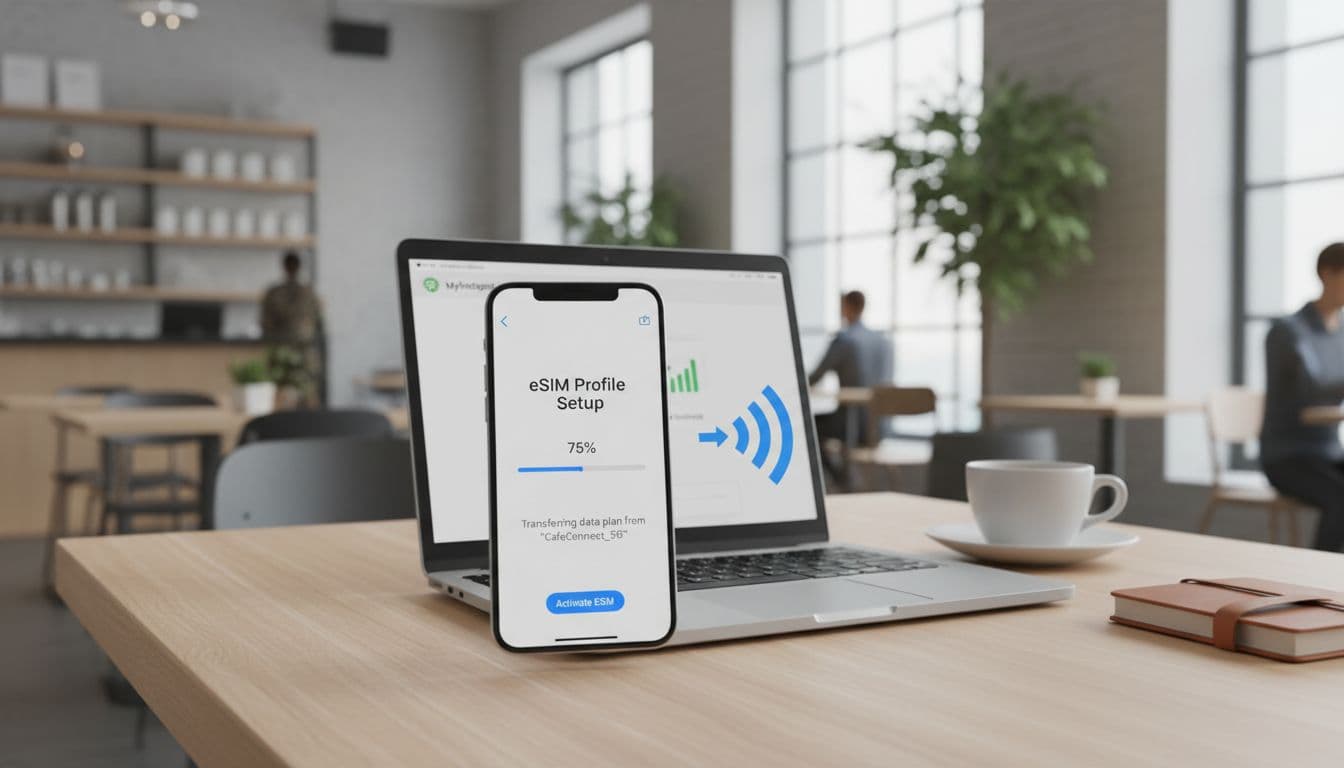
An eSIM, or embedded SIM, is a digital version of the traditional plastic SIM card that’s built directly into your smartphone’s hardware. While these digital chips make switching networks incredibly easy, a common frustration for travelers is discovering that their data plan doesn’t support a mobile hotspot, which is the ability to share your phone’s cellular connection with other devices like laptops or tablets. It’s a massive headache to land in a new city only to find your “unlimited” plan won’t let you get any work done on your MacBook.
While most providers offer plenty of data, they don’t always allow tethering, or they might hide strict speed caps in the fine print. To help you avoid being stranded without a connection, this guide compares the top prepaid global eSIM providers like Airalo, Maya Mobile, and Nomad. You’ll learn exactly how their tethering policies stack up, where the fair use limits hide, and how to snag the best eSIM for international travel so your entire tech kit stays online.
The short answer is that yes, many eSIMs allow hotspots, but the rules vary wildly by brand. Airalo and Nomad typically let you share your full data bucket, whereas “unlimited” providers like Holafly often place a daily cap on how much data you can tether. We’ve done the heavy lifting to find the international travel data plans 2025 winners that offer the best balance of speed, price, and sharing freedom. Let’s make sure you pick a plan that keeps your laptop as happy as your phone.
What Makes an eSIM Good for Hotspot and Tethering Use
Choosing a travel eSIM for your laptop or tablet isn’t just about finding the biggest data bucket. It’s really about the freedom to share that data across all your devices without jumping through hoops. A “good” eSIM for tethering is one that treats your data like yours; meaning you can use it on your phone, your iPad, or your work laptop with zero friction.
In my book, the best providers are the ones that are transparent. You want a plan that clearly states “Hotspot Allowed” right on the checkout page. There is nothing more frustrating than buying 20GB of data only to realize it’s locked to your smartphone’s tiny screen. Beyond just permission, you need to look at how that data is delivered. A reliable connection for a Zoom call requires consistent 4G or 5G speeds, not a connection that drops every time your phone receives a text or switches cell towers.
Understanding How Hotspot Permissions Work
The way eSIM providers handle tethering has changed drastically over the last few years. We’ve largely moved past the “Death of No Hotspot Plans” era, where blocking the feature was the industry standard. Today, most modern providers include hotspot capabilities by default, but the way they enforce those permissions is much more sophisticated than it used to be.
Broadly speaking, providers control your tethering in two ways. Some use a “hard block” at the network level, where the hotspot toggle on your iPhone or Android simply won’t turn on or will show an error message. Others take a more subtle approach, allowing the connection but using AI-powered Deep Packet Inspection to analyze your data signatures. If they see traffic that looks like a Windows Update or a desktop Chrome browser, they may flag it specifically as tethering data.
Many budget-friendly eSIM smartphones now come unlocked, which makes it harder for carriers to restrict these settings, but the eSIM profile itself usually carries the final word. When you’re shopping in 2026, always check if the plan is labeled as “Hotspot Supported.” If a provider doesn’t explicitly mention it, there’s a high chance they are using software “handshakes” to limit your sharing to a measly amount or blocking it entirely to preserve network bandwidth for phone-only users.
Speed Throttling vs Hard Caps
When you hit your sharing limit, providers usually push you off what I call the “Throttled Cliff.” This is the moment your blazing-fast connection turns into a digital crawl. Understanding the difference between a hard cap and a speed throttle is the secret to not getting stranded in the middle of a remote work session.
- Speed Throttling: This is the most common tactic for “unlimited” plans. You might have unlimited data on your phone, but once you share a certain amount (like 5GB or 10GB), the provider slows your hotspot speed down to 600 Kbps or even 128 Kbps. At these 3G-like speeds, checking an email feels like a victory, and streaming video is completely out of the question.
- Hard Caps: Popular with providers like Airalo or Nomad, a hard cap means once you use your 10GB or 20GB, the internet just stops working. While it sounds harsh, I actually prefer this because the speeds are usually consistent until the very last megabyte.
- Fair Usage Policies (FUP): Always read the fine print on cheapest eSIM for USA travel plans. Many “unlimited” deals actually have a daily FUP that resets at midnight. If you use 2GB as a hotspot at 10:00 AM, you might be throttled for the rest of the day.

To keep your workflow smooth, I recommend skipping plans that mention “unlimited” but hide a 2G speed throttle in the terms. You are almost always better off buying a fixed data amount that allows full 5G speeds for the entire duration of your trip. If you are doing heavy work, look for “Work from Anywhere” add-ons that specifically unlock high-speed tethering without the typical “cliff” slowdowns.
The Best eSIM Providers That Explicitly Allow Hotspot
Finding a provider that doesn’t just permit tethering but actually welcomes it is the key to a stress free trip. While many companies offer massive data buckets, the real winners are those that give you full control over how you spend those gigabytes. In 2026, several standout services have refined their offerings to ensure your laptop, tablet, or work devices stay connected at the highest speeds possible.
Airalo: The Beginner-Friendly Choice
Airalo remains a top recommendation for those who want a “set it and forget it” experience. Their platform is incredibly intuitive, making it the perfect starting point if you’re new to the world of digital SIMs. Most of their popular regional plans, such as the Eurolink package, come with hotspot support baked in by default. This means you won’t have to menu-dive through your phone settings or contact support just to get your MacBook online.
Internal testing shows that Airalo treats hotspot data exactly like on-device data. If you purchase a 10GB pack for a trip through Italy or France, you have the freedom to use all 10GB for tethering if you choose. There are no hidden “hotspot only” data caps or separate buckets to manage. This transparency is why it’s often cited as the best travel eSIM for United States tourists who need a reliable backup for their primary devices.
Maya Mobile: Best for High-Volume Data Sharing
For the digital nomads and power users who treat a local cafe like a satellite office, Maya Mobile is a standout performer. They have positioned themselves as a leader for professionals who need high volume data without the typical restrictions found on consumer-grade plans. While many “unlimited” plans from other providers throttle speeds after a tiny amount of sharing, Maya Mobile offers much more generous daily high-speed thresholds.
Their “Pro” plans are specifically designed with the multi-device user in mind. You can expect consistent 5G performance even when multiple devices are connected to your phone’s hotspot. This is a massive advantage if you’re traveling with a partner or need to keep a tablet and laptop synced simultaneously. Because they use top tier local networks, the latency remains low, which is a must for video calls or uploading large files to the cloud.
Nomad: Transparent Data Buckets
Nomad excels in simplicity and clear communication regarding data usage. They avoid the confusing “unlimited” labels that often hide nasty speed traps. Instead, they focus on fixed data buckets ranging from 1GB to 50GB. The beauty of the Nomad model is that it’s completely device agnostic. Whether you’re browsing Instagram on your phone or running a data-heavy software update on your laptop, the data comes from the same transparent pool.
One of the best features of the Nomad app is its real-time tracking. When you’re tethering, it’s easy to lose track of how many megabytes your laptop is “eating” in the background. Nomad provides a clear breakdown of your remaining balance, so you never run out of data unexpectedly in the middle of a session. For those seeking a USA eSIM with hotspot support, Nomad offers one of the most stable connections across various states, ensuring your hotspot stays active even when moving between cell towers.
| Provider | Best For | Hotspot Policy | Data Type |
|---|---|---|---|
| Airalo | Ease of Use | Allowed on almost all plans | Fixed Buckets |
| Maya Mobile | Digital Nomads | High-speed daily FUP | Unlimited & Fixed |
| Nomad | Transparency | 100% data can be shared | Fixed Buckets |
Data Plans That Make Sense for Tethering
Choosing the right data architecture is the difference between a productive afternoon at a seaside cafe and a frustrating hour spent staring at a loading spinner. When you are tethering, your laptop consumes data differently than your phone; it background-syncs files, downloads larger webpage assets, and often triggers system updates without warning. To handle this, you need a plan that offers high transparency and consistent throughput rather than one that hides behind the “unlimited” marketing curtain.

Why Large Data Bundles Often Beat Unlimited Plans
Fixed data bundles provide a level of performance certainty that unlimited plans simply cannot match in the current market. When you buy a specific bucket of data, say 20GB or 50GB, the provider treats every byte with the same priority, meaning you get the full 5G speed until the bucket is empty. This is crucial for tethering because laptop browsers and applications demand higher bandwidth to function smoothly.
In contrast, most “unlimited” eSIM plans are governed by strict Fair Usage Policies that can be quite aggressive. Many of these plans offer a daily high-speed limit (often just 500MB or 1GB) before dropping your speeds to 128kbps or 256kbps for the remainder of the day. While that might keep your WhatsApp messages moving on a phone, it effectively kills a laptop connection. By opting for a large fixed bundle, you avoid these daily speed bumps and ensure your hotspot remains usable for heavy tasks like video conferencing or large file transfers.
The Rise of Unified Data Sharing
The industry is moving toward a much more user-centric model where the distinction between “phone data” and “hotspot data” is rapidly disappearing. In 2026, the best eSIM providers have realized that users want a single pool of data they can use however they see fit. This shift toward unified data sharing simplifies the travel experience, as you no longer need to check if your plan has a separate, smaller “tethering bucket” hidden in the terms and conditions.
This trend is a win for anyone who travels with multiple devices. Modern eSIM profiles now treat the smartphone as a simple gateway rather than a walled garden. This means that if you have 30GB of data, you can use all 30GB on your laptop, or split it between your tablet and phone without any artificial restrictions. This level of flexibility allows you to manage your usage more effectively; you can save data by using your phone for quick searches and then go all-in on your laptop for deep work when the situation requires it.
Setting Up and Troubleshooting Your eSIM Hotspot
Setting up a hotspot with a travel eSIM is usually a breeze, but even in 2026, technology likes to provide the occasional hurdle. Most issues stem from the fact that your phone and your laptop speak slightly different languages when it comes to “tethered” data versus “local” device data. If you have ever hit that toggle and noticed your laptop simply refuses to fetch a single byte of data, don’t worry. Most of these hiccups are solved with a few quick taps in your cellular settings.
Configuring APN Settings for iPhone and Android
The most common fix for a missing or non-functional Personal Hotspot on a travel eSIM is manually updating the Access Point Name (APN) settings. While your phone often configures the main data line automatically upon activation, it sometimes “forgets” to apply those same instructions to the hotspot portion of the network. This results in the dreaded “spinning wheel” or a hotspot toggle that is completely greyed out.
To solve the “Missing Personal Hotspot” mystery, you need to ensure the hotspot knows exactly which gateway to use. Navigate to your Cellular or Mobile Data settings, select your active eSIM profile, and look for the Cellular Data Network menu. You will see several sections, typically labeled “Cellular Data,” “LTE Setup,” and “Personal Hotspot.”
If the boxes under the Personal Hotspot section are empty, that is your culprit. You should copy the word found in the Cellular Data APN box (which is frequently internet or globaldata) and type it exactly the same way into the APN box under the Personal Hotspot section. Once you’ve added this, toggle your Airplane Mode on and off to reset the connection. For a more detailed walkthrough, you can follow this step-by-step eSIM installation guide which covers the nuances of different device layouts.
Optimizing Compatibility and Connection Stability
Even after the APN is set, you might find that your tablet or an older laptop cannot “see” your phone’s network in the Wi-Fi list. This is often due to frequency mismatches; modern smartphones default to a 5GHz signal for speed, but older hardware or certain international builds only recognize 2.4GHz. To bridge this gap, look for the Maximize Compatibility toggle in your iPhone’s Personal Hotspot settings (or “Extend Compatibility” on Android). Turning this on forces your phone to broadcast a signal that every device can recognize, ensuring a stable handshake between your tech.
Another silent connection killer is Low Data Mode. While this feature is great for saving a few megabytes on your primary line, it acts as a digital chokehold for a hotspot. When enabled, your phone will frequently pause background tasks and restrict the “flow” of data to connected devices to minimize usage.
To ensure your Zoom calls don’t stutter and your cloud docs actually sync, follow these steps:
- On iPhone: Go to Settings > Cellular > select your eSIM and toggle Low Data Mode to OFF.
- On Android: Go to Settings > Connections > Data Usage and ensure Data Saver is disabled.
- Check DNS: If you are connected but have “No Internet,” try manually setting your laptop’s DNS to 8.8.8.8 to bypass local carrier glitches.
If these steps don’t immediately clear things up, you might be dealing with a specific carrier restriction. For more help, checking out frequently asked questions about eSIMs can provide clarity on whether your specific provider has “hard-blocked” tethering on your current plan. Usually, a quick restart of both the phone and the guest device after adjusting these settings is the final “kick” needed to get everything humming along perfectly.
Managing Battery, Heat, and Performance
Using your smartphone as a mobile gateway is incredibly convenient, but it puts a massive strain on the internal hardware. When you activate a hotspot, your phone acts as both a cellular modem and a Wi-Fi router simultaneously; two of the most power-hungry tasks any mobile device can perform. This dual-role workload causes the battery to drain rapidly and generates significant heat, which can lead to performance throttling or even long-term hardware degradation. To keep your connection fast and your device healthy while traveling, you need to treat your phone less like a casual accessory and more like a dedicated piece of networking equipment.

Practical Cooling Strategies for Long Sessions
The most effective way to prevent your phone from overheating during a long hotspot session is to maximize airflow and reduce secondary heat sources. Heat is the primary enemy of battery health and processing speed. When a phone gets too hot, the system automatically slows down the processor to protect itself, which results in laggy internet speeds for your connected laptop.
Follow these steps to keep the temperature under control:
- Remove the phone case: Most cases act like a thermal blanket, trapping heat against the device’s body. Stripping the case allows the internal heat to dissipate through the phone’s frame more efficiently.
- Avoid soft surfaces: Never leave your hotspot phone on a bed, sofa, or carpet while it is working. These surfaces insulate the device. Always place it on a hard, flat surface like a wooden desk or a stone countertop to help pull heat away.
- Stay out of the sun: Direct sunlight can raise a device’s temperature by several degrees in minutes. Keep your phone in the shade or in a well-ventilated area of the room.
- Kill the display: The screen is one of the largest contributors to heat. Once your devices are connected and the session has started, turn off the screen immediately. There is no reason to have the display active while the phone is sitting on a desk.
If you find yourself in a particularly warm environment, try placing the phone near an air conditioning vent or a small desk fan. These simple physical adjustments are often more effective than any software “optimization” app you might find.
USB Tethering: The Professional Alternative
Connecting your phone to your laptop via a physical USB cable is the superior method for stability, speed, and thermal management. While Wi-Fi hotspots are convenient for quick checks, they are inefficient for hours of deep work. USB tethering elimates the need for your phone to broadcast a high-power Wi-Fi signal, which significantly reduces the internal workload.
There are three main reasons why pros prefer the cable:
- Reduced Heat: By disabling the Wi-Fi broadcasting hardware, your phone runs much cooler. This prevents the thermal throttling that often kills speeds during long Zoom calls or large file uploads.
- Battery Management: When you tether via USB, your laptop will often “drip-feed” power back to your phone. This keeps your phone’s battery from plummeting toward zero, though you should monitor this to ensure your laptop doesn’t run out of juice first.
- Enhanced Security and Latency: A physical wire is immune to Wi-Fi interference in crowded airports or cafes. You get a lower “ping” or latency, which makes terminal work or real-time collaboration feel much more responsive.
To get started, simply plug your phone into your laptop. On an iPhone, ensure you trust the computer, then toggle your Personal Hotspot on. Windows and Mac systems will usually recognize the phone as a new network interface instantly. If you are comparing this setup against other travel solutions, many users find this wired approach makes even the best eSIM for Peru travel feel like a high-end office fiber line. For those who want more details on app-specific performance during these sessions, checking out an Airalo eSIM app review can help you decide which provider handles high-demand tethering the best.
Hotspot Rules and Fair Use Policies
Understanding the fine print is vital when you plan to use your phone as a mobile router. While many eSIM providers advertise their plans as “hotspot friendly,” the reality on the ground often involves complex Fair Use Policies (FUP) that can catch you off guard. In 2026, carriers have become much more surgical in how they manage network traffic, using advanced detection to separate on-device usage from tethered data. If you want to avoid a sudden loss of connectivity during a critical work session, you need to know exactly how these rules are applied across different providers.
Hidden Limits on Unlimited Plans
The term “unlimited” is frequently used as a marketing hook rather than a technical reality for tethering. Many providers that offer unlimited data for your smartphone will still impose a “soft cap” or a specific daily limit on how much of that data can be shared with other devices. These restrictions are often buried deep within the terms of service, leading to a frustrating experience once you connect a data-hungry laptop.
A classic example of this is the Holafly model. While they provide excellent unlimited data for browsing directly on your phone, their tethering allowance is often capped at a mere 500MB per day. Once you hit that 500MB threshold, the hotspot functionality typically stops working entirely or becomes so slow that it’s effectively disconnected. This is a common trap for travelers who expect their “unlimited” plan to behave like a home Wi-Fi connection.
To avoid these surprises, look for providers that offer transparent data buckets or those that explicitly state their hotspot limits. For instance, a Thailand eSIM with hotspot support from a provider like Gohub generally avoids these daily micro-caps. They allow you to use your entire purchased data pool for tethering without arbitrary daily resets or “hidden” blocks.
5G Standalone and Capacity Exemptions
The landscape of mobile data sharing is shifting thanks to the wider rollout of 5G Standalone (5G SA) networks. In 2026, this technology allows for much more efficient network slicing and management. Because 5G SA provides significantly higher bandwidth and lower latency, some forward-thinking carriers have started to offer capacity-based exemptions to traditional hotspot caps.
When your device is connected to a high-capacity 5G SA tower with plenty of overhead, the network may temporarily “white-list” your hotspot traffic. This means that for a period, your tethering data might not count against your primary Fair Use limit. This is a massive win for users in dense urban areas or near major transportation hubs where infrastructure is built to handle massive surges in traffic.

However, these exemptions are usually dynamic and rely on real-time network conditions. If the tower becomes congested, the carrier will immediately revert to standard throttling rules. For 2026 travelers, this makes it’s beneficial to:
- Check Network Type: Look for plans that specifically mention 5G SA support in their technical details.
- Monitor Signal Strength: High-capacity exemptions almost always require a strong, clear signal to stay active.
- Use Off-Peak Hours: If you have a large file to upload, doing so late at night or early in the morning increases your chances of hitting a capacity-exempt window.
Conclusion
Choosing the right eSIM for your travels in 2026 comes down to how much you value flexibility across your tech kit. For most travelers, opting for fixed data bundles from providers like Nomad or Airalo is the smartest move because these plans treat every byte of data equally, whether it is on your phone or your laptop. If you are a power user or a digital nomad, the robust daily sharing limits found on Maya Mobile provide the best high-speed reliability for a demanding workflow.
Before you head to the airport, always remember to verify your APN settings to ensure the hotspot toggle works the moment you land. If you are heading north, checking out affordable Canada eSIM data plans can help you find a plan that balances cost with high-speed tethering. By matching your plan to your specific device count and daily data needs, you can turn your smartphone into a reliable mobile office anywhere in the world.